Desertcart purchases this item on your behalf and handles shipping, customs, and support to Panama.
🔍 Diagnose smarter, drive safer — your car’s new best friend!
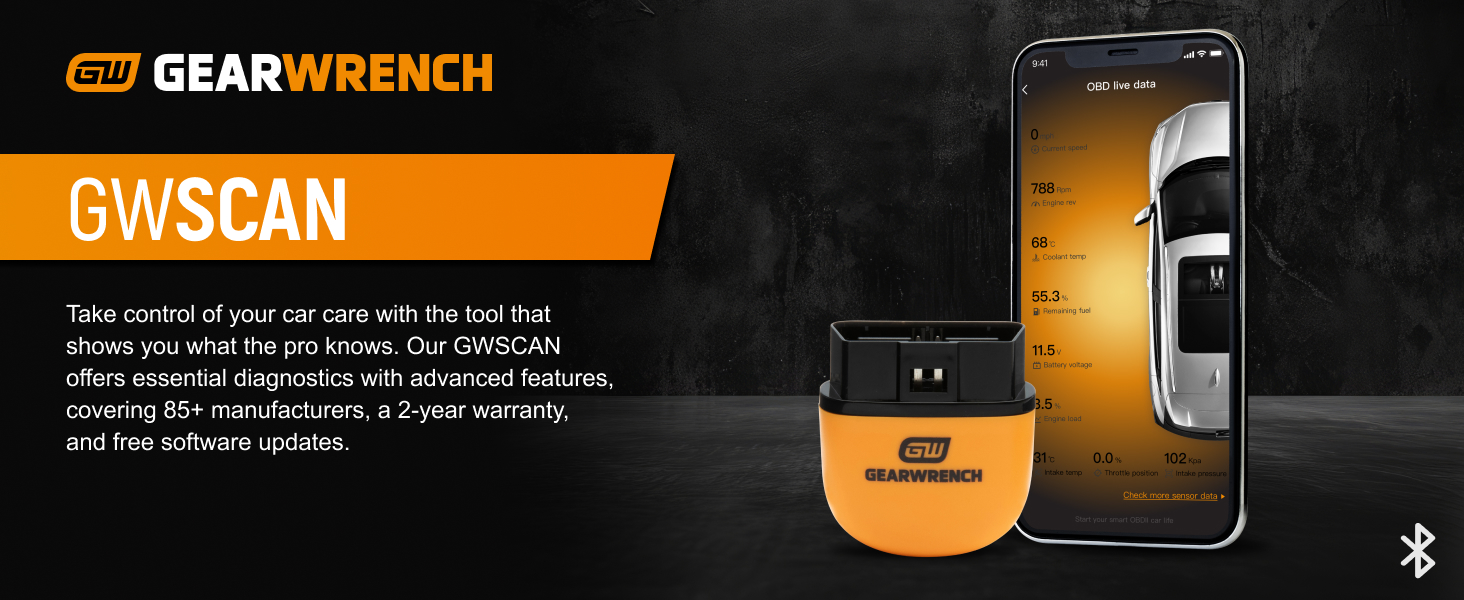
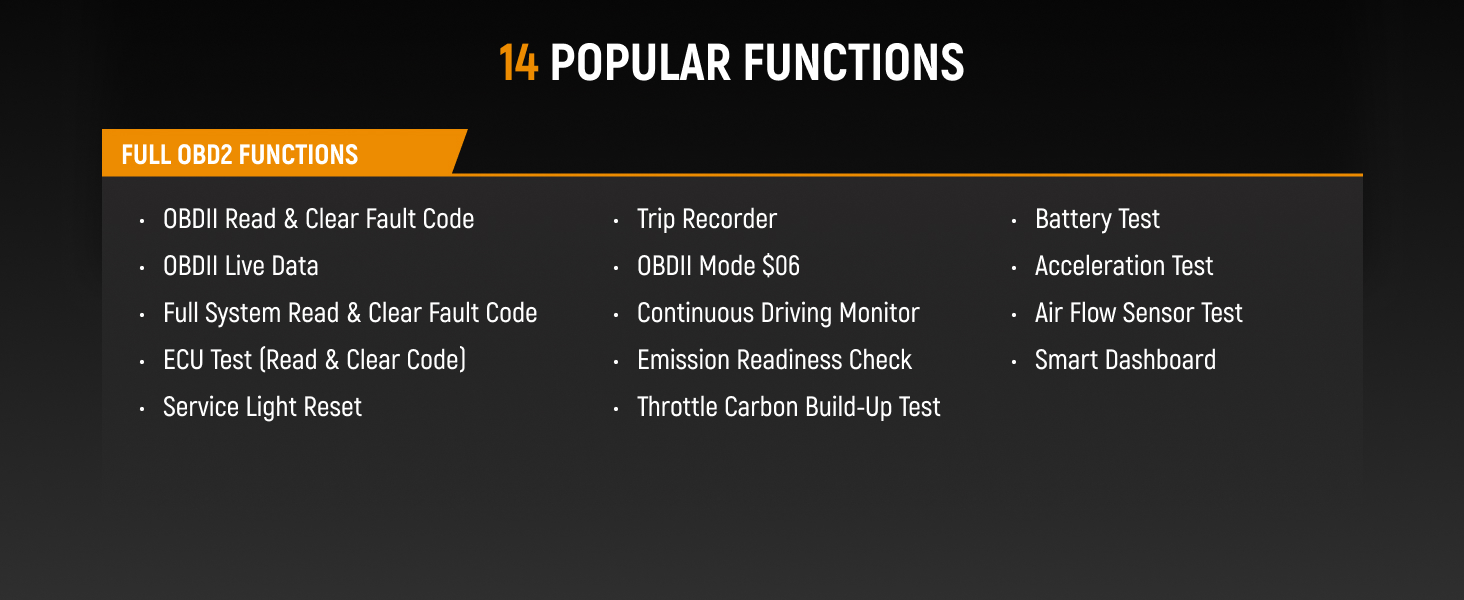
The GEARWRENCH GWSCAN is a compact, Bluetooth-enabled OBDII diagnostic tool designed for universal vehicle compatibility. It offers full system scans, deep fault code retrieval, and maintenance light resets across 85+ manufacturers. With a 2-year warranty and free software updates, it empowers vehicle owners to monitor performance and troubleshoot issues conveniently from their smartphone.
| ASIN | B0DBJF2XZZ |
| Automotive Fit Type | Universal Fit |
| Best Sellers Rank | #117,156 in Automotive ( See Top 100 in Automotive ) #618 in Code Readers & Scan Tools |
| Brand | GEARWRENCH |
| Brand Name | GEARWRENCH |
| Customer Reviews | 3.7 out of 5 stars 91 Reviews |
| Included Components | Vehicle Scanner |
| Item Highlight | Diagnostic Tools, Obdii Scanners, Bluetooth Scanners, Vehicle Code Readers, Free software updates - no subscriptions Item Highlight Diagnostic Tools, Obdii Scanners, Bluetooth Scanners, Vehicle Code Readers, Free software updates - no subscriptions See more |
| Item Type Name | Scanner |
| Manufacturer | Apex Tool Group |
| Manufacturer Part Number | GWSCAN |
| Manufacturer Warranty Description | 2 Year Manufacturer |
| Model Number | GWSCAN |
| Number of Items | 1 |
| Operating System | Android 10.0 |
| Power Source | Battery Powered |
| UPC | 099575791000 |
D**L
Reliable, Cheap, Compact, Fault Scan, Deep Scan, Limited Actuation, Limited Live Data
Fantastic piece of equipment. It’s small and simple. It does regular fault scan and it also has a deep scan option. The deep scan option is valuable to retrieve codes that are deeper than the original issue. Standard fault code is searching for a reason that your check engine light is illuminated. The deep scan option is to find any unrelated DTC that your car has that isn’t normally as important as the ones immediately stored on your vehicle to cause the CEL. Both options can erase the fault codes. It has a certain amount of live data you can view. Not too much. Basic info for general components type of thing. There are some other options you can view and see in the app settings but it’s more preference than control. However; there is a form of control option but your vehicle must support it. Overall, great product. It’s cheap and reliable. Bluetooth, and it’s better than visiting your local store to retrieve codes.
C**Y
Maybe - Maybe Not - NOT
Worked one day then quit working. Replacement coming. Will advise if replacement is any better. **** Review of replacement unit **** 2nd unit no better. I have a Ford, Nissan, and Dodge Ram. Unit only seems to work reasonably on the Ford. But even on the Ford it is sporadic. Showed Ram coolant temp to be -40! Showed Ford coolant temp to be 150 after a long ride. Did not register speed or RPM on Nissan. Screen periodically freezes up. It asked for serial number every time I connect to Nissan or Ram. I purchased this because of a review from Car&Driver. What are the chances that Car&Driver had no problems with a unit, but I get 2 in a row that don't work? Maybe the unit wasn't tested properly and thoroughly ?? When I contacted Gearwrench, I was told to connect it to wifi so they could check it out. Duh, you can't connect a Bluetooth Dongle to Wi-Fi. So even Gearwrench doesn't know much about these units.
A**H
Saved me a trip to the mechanic!
I don't know much about cars, but this scanner was super easy to plug in and sync with my phone. It told me exactly why my check engine light was on and helped me avoid an expensive diagnostic fee at the shop. Really handy little tool to keep in the glovebox!
A**R
Helps car diagnose
Great product helps figure out what is wrong with your vehicle
A**C
Excellent buy.
Excellent tool and easy to use giving me exactly the info I needed to tell my mechanic.
R**.
DON'T BUY THIS SCANTOOL IF YOU WANT A FAST, RELIABLE CODE READER!!!
This does not clear codes on many older Chrysler vehicles. It says it has sent the computer the information to clear the code, but the MIL stays on, which is specifically why I bought this item. Also it makes you enter the VIN and then still it doesn't recognize the vehicle. IT IS ALSO EXTREMELY SLOW. A cheap wired code reader accesses the information faster, and time is money, so buy a different product. I wouldn't recommend this at all. On GM vehicles it has froze and forced me to reopen the app multiple times.
G**R
Herramienta profesional al alcance de todos.
Excelente escáner OBDII. Lo uso para monitorear el estado de mi vehículo y funciona a la perfección. La conexión es estable y los datos en tiempo real son muy útiles. Es compacto, así que lo puedes guardar en cualquier lugar del auto. Gearwrench siempre es garantía de calidad en herramientas.
T**0
After a bit of frustration...
One of my vehicles opted to make this weekend the time to really get to try this gadget out. I had previously downloaded the app that went with it but hadn't yet taken the time to make use of this OBDII Tester. One of my vehicles threw a code, lit up the "check engine" light and gave me the convenience of needing to be read and checked into, so I pulled out this reader and plugged it in and got it paired up/activated, or so I thought. Well, technically I got it activated, but getting it to show back up again after fumbling with things a bit on the phone and in the app took me to frustration land. It wouldn't find the tester again but did know that the tester was activated. I should back up a bit and note that I had issues getting the barcode to read on the tester. That was the fault of my cellphone's camera which for some reason just refused to focus on the barcode. I was able to read the tiny print that provided the device serial number and activation key and enter it manually so it wasn't that big a deal but still, it contributed to the issues that I encountered along the way. From there, in going from the smaller front screen of my folding phone to the bigger screen things got a bit cranky. The app restarted when doing that switch and then didn't want to find the tester. It was there, had been paired, but wasn't found again. Ugh. After some fits and starts with it, I finally uninstalled the app and reinstalled. On restarting the app I logged in with the account that I had already just created. This time it asked properly for the required permissions and finally found the tester. Yay. Also along the way, and potentially part of what got things confused for me, was that when I first went about getting the tester up and running it found the fault that was happening on the vehicle and tried to detour over to testing for that fault. That went just fine after the uninstall and reinstall of the app, when the tester was found and properly paired up. It read the code just fine and further it allowed me to clear the code (annoying O2 sensor that sometimes flakes out a bit). I hope not to need this device much in the future and oddly enough I have some other readers that I could use to do this, including standalone code readers and other dongle types that simply plug in and communicate with smart phone apps. For now I'm leaving this tester in that vehicle so it's handy when or if needed.
J**N
Works well and the app gives handy explanations of codes etc.
Great experience with this. The app gives great explanations of what codes mean - you're learning as you go. Highly recommended.
C**Y
Good
It works good
A**R
No activation card with code in box!
I did not receive a card with activation code!
Trustpilot
2 weeks ago
1 day ago