Buy anything from 5,000+ international stores. One checkout price. No surprise fees. Join 2M+ shoppers on Desertcart.
Desertcart purchases this item on your behalf and handles shipping, customs, and support to Panama.
🛫 Elevate your flight sim game with cockpit-grade precision and plug-and-play ease!
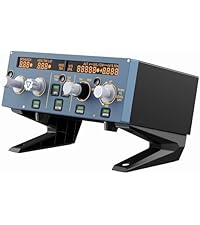
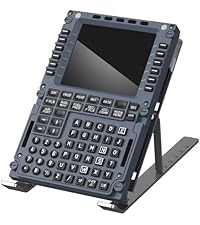
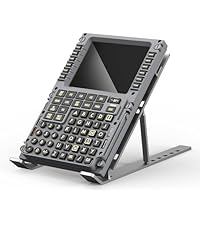
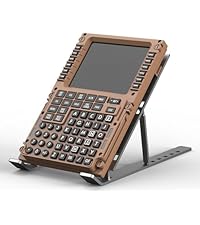
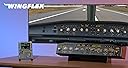
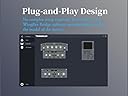
The WINGFLEX B737NG CDU is a premium flight simulation control panel meticulously crafted from aviation-grade materials to replicate the Boeing 737NG cockpit experience. Featuring a high-performance processor, plug-and-play USB-C connectivity, and photosensitive backlit keys, it delivers ultra-realistic tactile feedback and seamless integration with leading simulators like P3D, MSFS, and X-Plane. Designed for professional-grade training and enthusiast setups alike, it supports dual cockpit seat operation and offers online firmware updates to keep your simulation cutting-edge.




| ASIN | B0F26NFDYH |
| Additional Features | Touchpad |
| Best Sellers Rank | #16,413 in Videogames ( See Top 100 in Videogames ) #64 in PC Flight Controls |
| Brand Name | WINGFLEX |
| Color | Grey |
| Compatible Devices | PC |
| Connectivity Technology | USB C |
| Controller Type | USB |
| Customer Reviews | 4.2 4.2 out of 5 stars (3) |
| Hardware Platform | PC |
| Item Dimensions | 22.8 x 14.6 x 3.1 centimeters |
| Manufacturer | WINGFLEX |
| Model Name | B737NG CDU |
| Package Quantity | 1 |
| Power Source | Corded Electric |
| UPC | 780745033050 |
M**G
It has been about 3 months since I bought the product, and I’ve tried it on different platforms and aircraft. I would like to share my experiences so far. The device is identical to the real CDU of the 737NG. The buttons, lights, screen, etc., give a very realistic impression. Only the stand part is quite simple and doesn’t really suit a product of this quality. I should mention that the device is only compatible with the PMDG 737NG and the iFly 737-Max series in the 737 family. The keypad does not fully match with the CDU of the Max series. You cannot reprogram the buttons. For example, when you press the DEP button, the RTE screen appears because their positions are swapped in the CDU. This issue only applies to the Max series; there is no such problem with the PMDG 737-800. I believe there are also models in the 777 series that the device is compatible with, but I haven’t tried them. I tested the device in both MSFS 2020 and 2024, and it works the same way. I couldn’t manage to make it work efficiently with iFly. The bridge application recognizes the simulator and the aircraft, but it does not allow me to make button inputs. The inputs I make inside the aircraft are instantly mirrored on the device, but as I said, the buttons remain nonfunctional. Perhaps this is an issue that could be resolved with an update. Based on all these details, the smoothest flights can be done with the PMDG 737, which currently only supports MSFS 2020. Since MSFS 2024 support is not available yet, you are stuck with 2020. If the issues are resolved over time and compatibility improves, it will become much better. In particular, being able to change the button mapping I mentioned would also be an important update.
Trustpilot
4 days ago
1 week ago