🖨️ Print smart, live vibrant — your all-in-one home office hero!
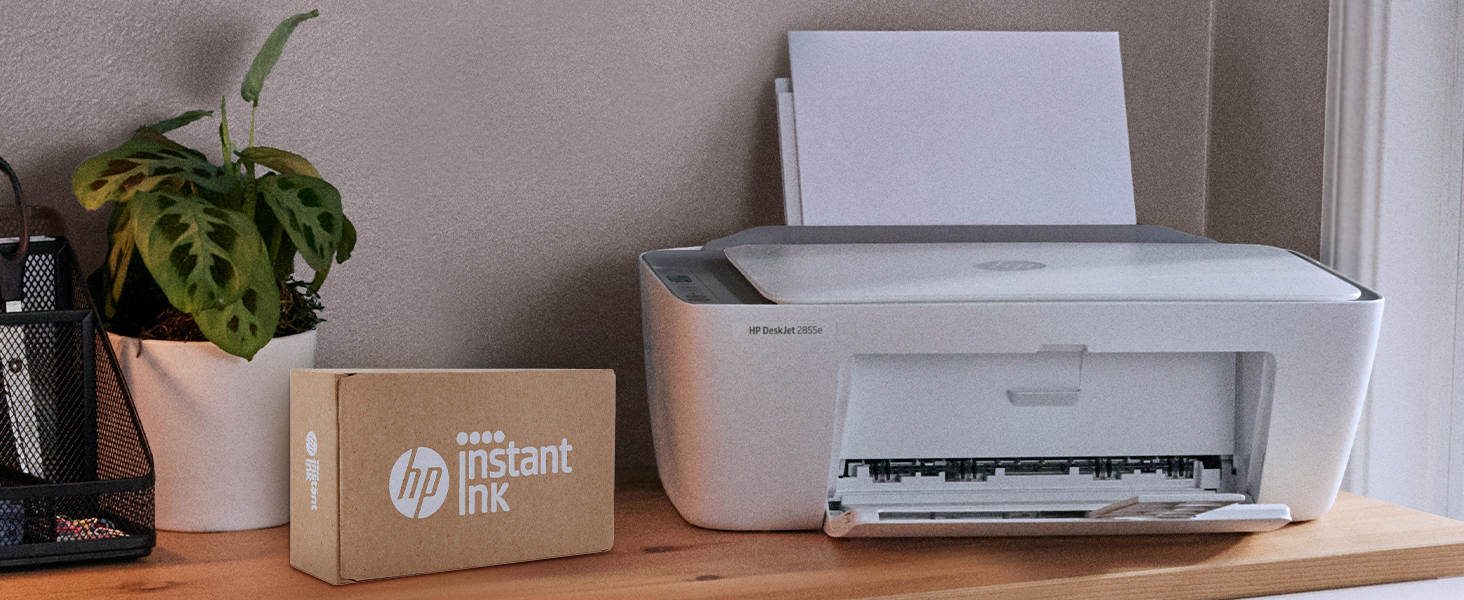
The HP DeskJet 2855e is a compact all-in-one inkjet printer designed for home use, offering wireless printing, scanning, and copying with speeds up to 7.5 pages per minute in color. It features a 60-sheet input tray, a user-friendly ICON LCD panel, and is made from 60% recycled plastic. Compatible with major OS and smartphone apps, it includes 3 months of instant ink with HP+ activation, ensuring seamless, eco-conscious productivity.


| ASIN | B0CT2R7199 |
| Additional Printer Functions | All In One |
| B&W Pages per Minute | 7.5 ppm |
| Best Sellers Rank | 320,907 in Computers & Accessories ( See Top 100 in Computers & Accessories ) 573 in All-In-One Printers |
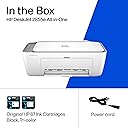
| Box Contents | 588S5A HP DeskJet 2855e All-in-One; HP 67 Setup Black Cartridge; HP 67 Setup Tri-color Cartridge; Regulation Booklet; Installation Guide; Reference Manual; Power Cable [Information on ink volume and page yield can be found at http://hp. |
| Brand | HP |
| Brand Name | HP |
| Color Depth | 24 |
| Color Pages per Minute | 5.5 ppm |
| Colour | White |
| Compatible Devices | Smartphones |
| Connectivity technology | Single band WiFi |
| Control Method | App |
| Controller Type | iOS |
| Customer Reviews | 3.8 out of 5 stars 18,229 Reviews |
| Display Type | LED |
| Dual-sided printing | Yes |
| Duplex | Manual |
| Hardware Interface | USB 2.0 |
| Initial Page Print Time | 19 Seconds |
| Ink Colour | Black, cyan, magenta, Yellow |
| Is Electric | Yes |
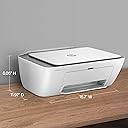
| Item Dimensions D x W x H | 30.4D x 42.4W x 15.4H centimetres |
| Item Type Name | Inkjet Printer |
| Item Weight | 10.04 Pounds |
| Manufacturer | HP |
| Maximum Copies Per Run | Hasta 9 copias |
| Maximum Copy Resolution Black and White | 1200 dpi |
| Maximum Copy Resolution Color | [LE] Hasta 4800 x 1200 optimized dpi color |
| Maximum Copy Speed Black and White | 7.5 ppm |
| Maximum Print Resolution Black and White | Up to 1200 x 1200 rendered dpi Dots Per Inch |
| Maximum Sheet Capacity | 60 |
| Maximum Supported Paper Size | 3 x5 to 8.5 x 14 in |
| Maximum print Resolution Color | Up to 4800 x 1200 optimized dpi color (when printing from a computer on selected HP photo papers and 1200 input dpi) Dots Per Inch |
| Model Name | DeskJet 2855e All-in-One Printer |
| Model Number | 588S5A#B1H |
| Model Series | 2855e |
| Model name | DeskJet 2855e All-in-One Printer |
| Network Connectivity Technology | Single band WiFi |
| Number of Trays | 1 |
| Other Special Features of the Product | Wireless |
| Output sheet capacity | 60.0 |
| Paper Size | 3 x 5 to 8.5 x14 |
| Power Consumption Size | 2.8 Watts |
| Print media | Envelopes, Glossy photo paper, Paper (plain) |
| Printer Output Type | Colour |
| Printer Type | Inkjet |
| Printing technology | Inkjet |
| Processor Count | 1 |
| Resolution | Hasta 1200 x 1200 ( y blanco), Hasta 4800 x 1200 (color) |
| Scanner Type | Flatbed |
| Special feature | Wireless |
| Specific Uses For Product | Home and office at home |
| Total USB Ports | 1 |
| UPC | 196337380097 |
| Warranty Type | limited warranty |
| Wattage | 2.8 watts |
E**A
Marca de calidad
Buen funcionamiento y tamaño para trabajo y hogar.
T**K
Love this printer !
Love this so far! Easy to set up/ I linked it with my iPad . There are a few steps but it is very doable . The paper jam button comes on sometimes but it’s easy to fix - just realign the paper and press the button again. Compact size, great design . Very happy I purchased this and you can’t beat the price .
B**G
Perfect printer for a college student!
What's not to love about this great little printer? It does everything most people need—print, copy, and scan—in one compact unit. We've always been big HP printer fans, so we purchased this one for our granddaughter's college dorm room. She was able to set it up quickly on her own, and it worked perfectly right out of the box. The print quality is excellent, the wireless connection has been reliable, and its compact size is ideal for a dorm or apartment. If you're looking for an affordable, dependable all-in-one printer for a student or home office, this is an excellent choice.
B**E
TERRIBLE PRINTER AND TERRIBLE SETUP
TERRIBLE SETUP IS NOT STRESS FREE!!! OKAY YOU NEED TO USE WIFI THEY FORCE IT, I TRIED THE USB WHICH THEY DONT GIVE YOU AND IT WONT WORK AT ALL, THEY MAKE YOU DOWNLOAD THERE APP TO SET IT UP WHICH WON'T OPEN BECAUSE... ITS FROM THE MICROSOFT STORE, THEY MAKE YOU SIGN UP FOR INK SERVICES 2 TIMES, YOU NEED TO MAKE AN ACCOUNT, YOU HAVE TO HAVE YOUR LOCATION ON TO SET IT UP, THEY CLAIM YOU CAN USE ETHERNET FOR SETUP NOT PORT ON THE PRINTER FOR THAT, FORCE UPDATES IN THE APP, ALL THIS BECUASE OF THE APP!!! !!!!DO NOT BUY!!!! GET A PRINTER THAT DOES NOT NEED A APP TO PRINT. ITS A PRINTER NOT A SOCIAL PLATFORM.
A**H
The troublesome program and the frustrating printing experience
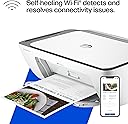
I'm really at a loss for words. The printer itself is completely fine, but the program written by HP is a complete mess. The computer took a long time to finally print out a document, but then what happened? I happily threw away the packaging box, thinking everything was fine. But then what happened next? Damn it, the next day when I reconnected, I couldn't do anything. The port couldn't connect, and the program couldn't associate with the device. Later on, on the HP smart page, it showed that I was connected, everything was online, and everything was ready. Then I tried to open a random file from my Office 365 and print it. But it couldn't print out a single document. At this point, I thought, can't be! Maybe it's just an issue with Office. I never even thought to blame this HP printer. But I wasn't giving up. I opened a PDF file. Damn it, it still couldn't print. My computer was doing nothing. Alt+F4 didn't work either. I tried printing from the web. Haha, there was no sign of response at all. Who wrote this "WIRELESS PRINTING – Stay connected with our most reliable Wi-Fi, which automatically detects and resolves connection issues"? Was it written for someone else? For your boss? For your lover? For your mom? You can tell anyone "Oh, it's reliable", but you never told your own purchasing users. You used the most unreliable connection scheme! HP smart? Hp Stupid!!!! The connection program is long, complex, confusing, and no one knows why you have to register an account before you can connect. The network connection technology is even worse. Ha ha, do you know that the WSD port is inherently unreliable? Why didn't they design a backup port? And then you set WSD as the default option. I changed the option but they changed it back. I really can't stand it. Also, the designers never thought that not all networks are stable and long-lasting. Once they go offline or disconnect, this thing will be useless!!! The funniest thing is that downloading this program on a Windows system is a very slow process. During the download, I wasn't allowed to change the storage location. The design like this is like a sewage pit. Who should be buried for such a bad design? Why not something else? Because I suspect that the things that can be called organized in the design of this thing simply can't be sold for value! And that's not all. I tried using other built-in programs to print in an attempt to fix the bug. Damn it, you even won't let me use the most basic method. How can you be so proud of saying that the connection is reliable??? ?? ?
Trustpilot
1 month ago
3 weeks ago