We remain fully operational. Our teams are working around the clock to ensure your deliveries continue safely.

DOWNLOAD THE APP


Customer Services
Copyright © 2025 Desertcart Holdings Limited
DOWNLOAD THE APP
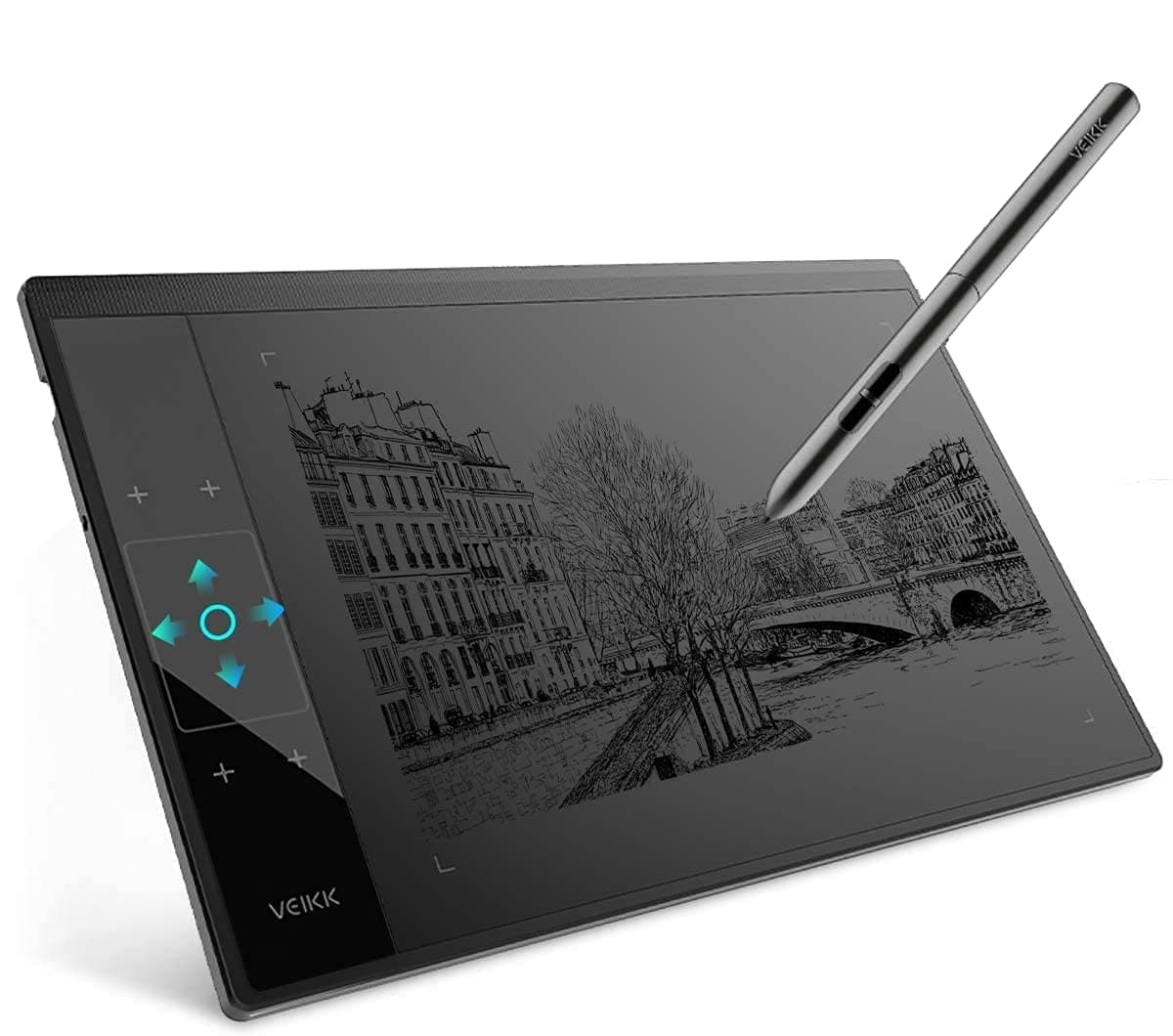
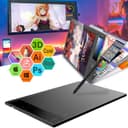
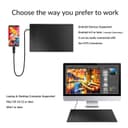



🎨 Elevate your digital art game with precision and style — don’t get left behind!
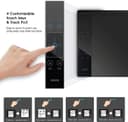
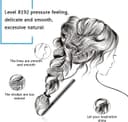
The VEIKK A30 is a professional-grade graphic drawing tablet featuring 8192 levels of pressure sensitivity, a large 10x6 inch active area, and a unique touch pad with 4 customizable keys plus a gesture panel. Compatible across Mac, Windows, and Linux, it includes a battery-free tilt pen and essential accessories, making it an ideal, cost-effective choice for artists, designers, and educators seeking seamless, high-precision digital creation.


| ASIN | B07DQP93BD |
| Active Surface Area | 10 inches x 6 inches |
| Best Sellers Rank | 13,062 in Computers & Accessories ( See Top 100 in Computers & Accessories ) 38 in Graphic Tablets |
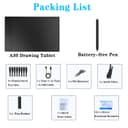
| Box Contents | Battery-free Pen, Glove, Replacement Nib, USB Cable |
| Brand Name | VEIKK |
| Colour | 10inch-A30 |
| Compatible Devices | Desktop, Laptop, Smartphone, Tablet |
| Country of Origin | China |
| Customer Reviews | 4.2 4.2 out of 5 stars (4,253) |
| Display Type | LCD |
| Item Dimensions L x W | 21.2L x 33.2W centimetres |
| Item Weight | 570 Grams |
| Manufacturer | VEIKK |
| Model Name | VEIKK A30 |
| Model Number | VEIKK-A30 |
| Native Resolution | 1920x1080 |
| Network Connectivity Technology | USB |
| Operating System | Linux, Mac OS, Windows |
| Pressure Sensitivity | 8192 Levels |
| Product Features | Programmable Press Key, Stylus Dock |
| Screen Size | 11.66 Inches |
| Specific Uses For Product | Designing, Drawing, Online Education |
| Target Audience | Designer, Sign for approval, Student, Teacher |
| UPC | 601707033812 |
| Unit Count | 1.0 count |
G**.
...buy this tablet NOW!
My VEIKK A15 tablet arrived quickly and in a neatly packaged & professional box, which when opened gave a great first impression and really showed the thought that has gone into the presentation and branding of these VEIKK products. Everything was packed extremely well with sections for all the included accessories to sit in. The tablet itself was securely packaged in a cellophane bag with a drawing glove included also. The tablet feels light but sturdy... a refreshing feel for a lower priced model such as this one, as the majority of tablets by other brands feel plastic and cheap, but this shines from the moment you un-pack it. The pen included is light, feels great in the hand and doesn't require batteries so straight out of the box you are ready to go. Setting the tablet up on my MAC was quick and easy with no problems, once the driver is installed you are pretty much ready to go, just ensure that you un-install any drivers that are on your computer from previous tablets, there is a start up guide also included as well should you require any help during the set up process. Once you are all installed, you can customize the 12 shortcut keys along the side for any actions you require, this is brilliant and allows you to program the tablet how you wish...you also can modify monitor setup to suit your workflow. The pen itself has two buttons that can be programmed like the tablet shortcut keys, this also is great for those who wish to customize the pen for a particular selection tool, brush size, etc. The pen also has 8192 levels of sensitivity and can be calibrated via the software, the pen is amazing to use and the depth of the pressure really shows once calibrated for use with photoshop and clip studio. Drawing on this tablet has a great feel, the pen is lightweight and works great with the tablet texture, which is very similar in feel to paper...a very nice touch and makes using the tablet very enjoyable. I tested this product on clip Studio & Photoshop and the whole process in both programs was great...minimal lag, great pressure pick up and the ability to get the best brush strokes in both of these illustration programs was very impressive. Overall, this is a fantastic addition to the VEIKK range...as a starter or intermediate tablet for artists/illustrators, this really is a great piece of hardware and works fantastically, as a starter tablet it also is very cost effective and is great value for money...I look forward to seeing what else VEIKK will produce next as this is another great addition to their growing range. GO BUY THIS TABLET!
K**S
Affordable and perfect for a new or old artist
I’m so excited to bring you guys a review of the new Veikk A15 drawing tablet. They recently reached out to me and asked I look at their product and I have to say I am pretty pleased with it. It arrived super quickly via Amazon, the box was a touch damaged but this is down to Amazon and not Veikk. Box was clean with all information that you needed, the clean graphics of the box gave me this kind of ports car vibe. I dunno why. I got the version that came with a glove, which is a lil snug on my hand so if you’ve got larger hand it might not fit comfortably, it was just right for me and I’ll be using it over my wacom glove. As well as the glove, inside the box you’ll find replacement nibs, there are only one type of nibs from what I can see on their website which is the former plastic ones. The pen, the usb power cable and of course the tablet. First things first, the pen. It was a really nice size, it’s also a non rechargeable pen so no worries about it not working suddenly because it needs a charge up. However I found it a bit light, this is probably just because the pen to my other tablet is heavy and I’ve grown used to that. This is something that can be eased with a pen sleeve so is only one small issue. The power cable is honestly pretty cool, there is so wrong way to plug it in, so regardless of if you’re right or left handed it’ll be out of your way. The tablet itself was bigger than I pictured inside my head, with a 10x6 in work are. There are 12 configurable buttons, I admit I was a bit stupid and honestly thought the red circle was a dial of some kind. Should have seen me spend 30 minutes trying to work out why I couldn’t program zoom to it. I should have read everything first, speaking of the dial comes in four colours I believe? Black, gold, blue and red. The work area has a papery texture, but not overly textured giving a natural drawing feel. Now onto the main part. Installing was a lil bit of a pain for me, the drivers were easy to find on the website. However the first time I installed they didn’t take. It wasn’t til I realised I needed to uninstall my pre-existing tablet drivers that they finally worked. I use mainly Paint tool sai 2 and Clip Studio Pro. Despite my earlier worries of the pen being too light and causing me issues, it didn’t, in fact I was able to draw for a good few hours before wrist pain kicked in and I needed a break, the wrist pain isn’t something I can blame on the tablet either, if you’ve got healthy joints and stretch before drawing I don’t see it being an issue. I LOVE, LOVE the sensitivity on this tablet, like I can not express how happy I was while drawing. The sensitivity and pressure was fluid, there were no big jumps in brush size. I’m very heavy handed with my pens and I rarely get those subtle movements. I hate to say it though, but the pressure on this might be better than my $600+ tablet that I use daily. I really enjoyed drawing with this, it took a lil time to get used to drawing on it as my currently tablet has been a digital screen tablet, it’s been three or four years since I last used my bamboo. I also want to add their tech support was spot on. I had issues getting the tablet to work with Clip Studio pro, my main art program, if I had dual monitors. We sat down over teamviewer and troubleshooted. It was an easy fix but they were great and kept in contact with me the whole time. (If you get this problem just switch which monitor is 1 and 2) The TLDR; Basically if you’re starting out or professional I’d recommend this tablet, it’s affordable, well made and great to work with. Pros Affordable. At £45.99 currently I can’t fault the price. Professional Quality Looks great Amazing to draw with Cons Pencil is a little light weight for me.
W**N
A great beginners tablet. Sleek and impressive
This tablet is an amazing choice for anyone looking for their first drawing tablet. It's sleek, easy to install on windows, and functions well with many drawing applications such as photoshop, paint tool sai and even drawpile. The tablet is larger than yoyr average wacom, giving you more space to work in and draw. The shortcut buttons on the side are extremely useful, and the fact that the pen doesn't need charging is a huge relief. I will say that although the tablet does boast a tremendous 8000+ levels on pen pressure, it can struggle to reach its lowest/highest levels of pressure. This however is a very small problem and only barely noticeable. Another issue I found with it is that it doesn't work with clip studio paint, even after rejigging the settings. Overall, the tablet is great value for money and an excellent choice for beginners.
J**S
Buen producto
T**M
As someone who had been using Wacom tablets for over 15 years, I finally got frustrated enough with their constant driver issues and decided to try out a new type of tablet. The VEIKK A15 tablet stood out to me because of it's affordable price and sleek design. Of course I was hesitant to try out a new brand, but to my surprise I'm really enjoying it. Just as the description stated, the product came with the tablet, tablet pen (and sleeve for it), an artist glove, replacement nibs, nib remover, usb cable, and installation guide. Packaging was compact and no fuss to get to the product. We all have experienced receiving a product and it's just packaged with a ton of unnecessary filler. The VEIKK A15 had none of that. The first thing you see is the tablet and glove laid out in front of you and then the rest of the items underneath supported with a carboard piece. The installation process was actually fairly simple. I downloaded the driver, plugged in my new tablet, and it was ready to go! I had expected to run into driver complications, since I had issues with my Wacom Intuos Art on multiple occasions but so far nothing. Unfortunately I am unsure if others, who had other art tablet drivers installed, would have the same smooth experience as I did (I recently got a new computer so I didn't have my Wacom driver installed anymore), but the recommendation of uninstalling any previous tablet drivers is a fairly simple process so others shouldn't have much difficulties with that. Onto the tablet itself! So far I'm loving it. It's actually extremely light for it's size and I can comfortably carry it with one hand if needed. Since this tablet is a much larger size than my old one and it takes up a lot more space on my desk I have to move my keyboard around and therefore don't have access to my ctrl+z... and as you know as an artist having that undo is essential! Well, that's no problem since I can simply assign the undo to one of the 12 buttons to the left. It's super easy to customize your buttons too! Just open the VEIKK tablet settings and it's under the 'function' tab. Super easy. The pen is also very lightweight and has two buttons which you can also assign to any shortcut you want. I know most people would probably want to shortcut it to their undo, but since I'm used to an intuos pen I kept the first button as it's default right click. The texture of the tablet is very similar to my intuos art and so it gives a slight sense of you drawing on paper vs a glass screen like some other tablets have. I prefer the slight texture since that's what I'm used to so it works out perfectly for me. Overall? This tablet is a good for anyone, whether you're an artist who had been drawing for years or are just starting out. I would highly recommend this tablet to someone who is looking for a cheap, but good tablet to use.
ア**ー
デバイスドライバーインストールすればすぐ使えるの楽でした。 またショートカットキーの設定なども簡単に行えるので最高です。 ただ、設定をペンじゃなくマウスの方が描きやすいなと思いました。
R**M
It's a gud product I have used it about 3 days. I don't know about long term realibility but it's easy to used, it's very interactive. I am a new pen tablet user but I feel like I have used it enough as it's user friendly, easy connectivity, size is good and enough for a teacher, writing in the tablet is smooth and very sensitive also palm rejection is there for better experience.
D**E
8192 niveaux de pression pour un tracé ultra précis et fluide Stylet sans batterie, léger et réactif, qui ne nécessite aucune recharge 12 touches personnalisables pour un accès rapide à mes fonctions préférées Compatibilité étendue : fonctionne parfaitement avec Windows, Mac, Android et les logiciels comme Photoshop, Krita, Clip Studio Paint, etc.2 🔌 Le port USB-C est un vrai plus : stable, réversible, et facile à connecter. 🎨 Que ce soit pour le dessin, l’enseignement en ligne ou la retouche photo, cette tablette est un excellent choix pour les artistes nomades comme les créateurs en atelier.
Trustpilot
1 month ago
1 week ago