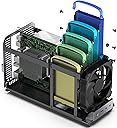
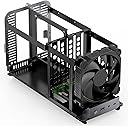
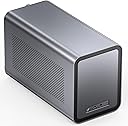
Some may look at this case and think it's a bit of a novelty item, but I'm very surprised at how well it's built, and the thought that went into making things fit within such a tight envelope. I ended up building something that is getting a lot of bang for my buck, so to speak.I like this case even more than I thought I would after watching some YouTube build videos. Everything fits, but just--you have to make sure you get all of your cables tucked in properly so the outer shell can slide closed.Don't even think about not using right-angle SATA connectors on the backplane--there is no extra room for straight connectors. You'll also want to consider buying shorter SATA cables so that you don't have to bunch up the extra lengths. I'm using 18 inch SATA cables with right angle on one end, and straight on the other. I ordered 8 inch bright red cables, but haven't put them in yet. You may want to do the same, depending on your motherboard's SATA connector configuration.I have all 5 HDD slots populated with "renewed" enterprise-grade 12TB drives, and the single large cooling fan is good enough to keep these drives below about 40-47 degrees C when in operation. I tried plugging the fan into my motherboard and controlled it from the BIOS, but in the end I just plugged it back into its socket on the backplane (which is how it comes from the factory) so that the fan runs at full-speed 24/7. It's not too loud for me, but I definitely wouldn't put it next to my work desk or bedside unless you like the white noise. It sounds about like a small room fan at the other end of the room, set on low. No screaming or whining--just a gentle whoosh.I'm using mine vertically, and I didn't reverse the fan, as one or two people have reported. That's not a good idea, regardless of the physics of warm air. This fan wants to blow directly onto the HDD's and that keeps them happy. I've monitored temperatures of the HDD's as well as the CPU, and this single fan is doing its job well enough. If you want to run yours vertically as well, consider buying a right-angle HDMI adapter if you intend to keep a monitor plugged in. Jonsbo thoughtfully included a nice right-angle power cord adapter, so that's one less part you'll need to find.I'm using a Chinese N305 motherboard I bought on Amazon that has two 2.5 GB Intel 226 Ethernet ports and a 10 GB port--one of the deciding factors for me--and at a very decent price, considering that most commercial NAS's charge an extra $100-200 for a 10 GB upgrade card.The motherboard was $299 w/o the memory. I used a single stick of 32GB DDR5. My boot drive is a mirrored pair of 256GB NVME sticks on the mobo. I'm using TrueNAS software on it, and am getting great performance--this easily beats most other off-the-shelf NAS boxes that typically have lower-end, barely-adequate processors and tiny bits of slower memory. This thing will run circles around them for a similar price, which makes this build much more future-proof. It barely lopes along playing 4K videos with Plex or Jellyfin, and can easily transcode them down to 1080p with the built-in CPU in the N305.I know this review is supposed to be just about the case, but I included more detail to show what can be done with it. I must admit that I like this case way better than I thought I would. Opinions may vary on such a space-constrained model as this one, but I'm a fan!