


🚀 Elevate your home network to WiFi 7 speed and security supremacy!
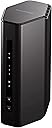
The NETGEAR Nighthawk RS140 is a cutting-edge dual-band WiFi 7 router delivering ultra-fast speeds up to 5.0Gbps and coverage for up to 2,250 sq. ft. Supporting 80 devices simultaneously, it’s engineered for high-demand environments like gaming, 4K streaming, and smart homes. Equipped with advanced security features including NETGEAR Armor and automatic firmware updates, it ensures robust protection. The router features a 2.5Gbps internet port and three 1Gbps LAN ports for versatile wired connectivity, all housed in a sleek, compact design optimized for professional and home use.


| ASIN | B0F114274T |
| Antenna Location | Gaming, Home, Professional, Video Games |
| Brand | NETGEAR |
| Built-In Media | One (1) 12V/2.5A Power Adapter, One (1) 2m Ethernet Cable, One (1) Dual-Band WiFi 7 Router (RS140), Quick Start Guide |
| Compatible Devices | Gaming Console, Personal Computer, Security Camera, Smart Television, Smartphone |
| Compatible devices | Gaming Console, Personal Computer, Security Camera, Smart Television, Smartphone |
| Connectivity Protocol | Wi-Fi |
| Connectivity Range | 2250 Square Feet |
| Connectivity Technology | Ethernet, Wi-Fi |
| Customer Reviews | 4.3 out of 5 stars 422 Reviews |
| Data Transfer Rate | 5000 Gigabits Per Second |
| Frequency | 5 GHz |
| Frequency Band Class | Dual-Band |
| Frequency band class | Dual-Band |
| Has Internet Connectivity | Yes |
| Has Security Updates | Yes |
| Item Weight | 1.49 Kilograms |
| Manufacturer | NETGEAR |
| Maximum Upstream Data Transfer Rate | 5000 Megabits Per Second |
| Mfr Part Number | RS140-100NAS |
| Model Name | RS140 |
| Model Number | RS140-100NAS |
| Model name | RS140 |
| Number of Items | 1 |
| Number of Ports | 4 |
| Operating System | Linux |
| Other Special Features of the Product | Internet Security |
| Router Network Type | hybrid |
| Special features | Internet Security |
| UPC | 606449173758 |
| Voltage | 12 Volts (DC) |
| Wi-Fi Generation | WiFi 7 |
| Wireless Compability | 802.11.be |
| Wireless communication standard | 802.11.be |
B**E
Finally an easy router to configure
Easiest and best router I have had to set up in the last 15 years. Very simple scanning set up and notification software built-in. Finally, I have the high speed that I require, and also a large transmission circle that it encompasses throughout my office and surrounding areas. Nice job best one I have had in years good value for the money, speed, and security.
A**D
Woo Hoo! Easy Peasy!!!!!!!!
This is a review of using the NETGEAR 8 Port PoE Gigabit Ethernet Easy Smart Managed Essentials Switch (GS308EP) to allow me to switch from an old router to the NETGEAR Nighthawk Dual-Band WiFi 7 Router (RS140) with no down time for my care receivers. Super simple. Was able to plug it in to 120v, unplug the router from the modem, plug this into the modem, then plug the router into this NETGEAR switch and WHILE 'Sling' was streaming with only about a five second pause in streaming and then it continued. After than I was able to use an open port on the switch to plug in the NETGEAR Nighthawk Dual-Band WiFi 7 Router RS140 and spend about 20 minutes getting that configured. After that I reconnected my 10 devices to the new router and threw away my old Tenda router which has seriously compromised security with a open back door for hackers denial of service attacks. Just a note, the router would not allow connection with the default password written on the bottom. I had to change it in the phone app and it worked like a charm. Just an FYI if you're planning the same thing. I'm a 70 year old caregiver for my 88 year old senile sister and my 68 year old fiance, so keeping them happy with their devices while I upgraded was paramount. Mission accomplished, plus I have more open WAN ports for a future outdoor wifi planned for later this year. The setup was so simple on this that I didn't even need to download and read instructions. I just used the QR code on the bottom of the router and downloaded the NETGEAR setup app from the apple store and it did the rest. It DID take 10 minutes while some sort of security protocol was being performed and I thought it had hung, but I just played a game while I waited and Voilà I was up and running. Response time and throughput are amazing. I am stoked!!!! No dropped signals at all in the past three days as some of the negative reviews show. Crossing my fingers that they just got a lemon and I didn't.
A**9
NETGEAR Nighthawk Dual-Band WiFi 7 Router (RS140
Love the vertical space saving design. Netgear has been a brand I had in the past and one other brand. They are superior to other brand I have had. Easy install and I am a 73 year old female. Not plug and play but easy to use their unit with some on line guidance. My 2000sq foot home is so happy in all locations with the output power. The minimum model unit I would suggest and any Nighthawk Netgear unit higher will serve you well too. The unit you need is picked by number of devices used and size of home. A strong buy suggestion. I am supplying WIFI to a smart TV with little lag on streams, 2 PC's, 2 smart phones and one print server supplying printing everywhere in home. It also has a guest log in to protect your personal data if you have guests in the home. Very happy.
G**G
Constant dropouts and speed fluctuations
Ordered one and it died in less than a week. Ordered a replacement. It constantly drops the signal causing me to lose WiFi on all my devices. On my phone it will say cannot connect using current security settings even nothing has changed. Then it will connect and say no internet. I have to disconnect and connect several times or toggle WiFi on and off before it works for a few minutes. Sometimes it says I need to login into the network and throws me into the Netgear login page. That happens on phone and computers. Even when it's working, the speed drops to half or less just being ten feet away but within the line of sight, or the same device, in the one location will returns wildly different speed results taken seconds apart. I have four Netgear mesh extenders and it won't communicate with them even when I reset them and re-enable them on the newtork.
A**R
App sucks, router rocks though
Dorked around with the app to setup for a while and it wouldn’t connect. Kept telling me “cables were unplugged”, after 15 min I grabbed the laptop and went to the router page and had it running in 5 min. I had to click that I didn’t have an “app compatible device” So total setup time was 20 min but 15 was wasted with a worthless app and 5 min for the actual setup so, not bad. The app finally did connect but I had already been getting pretty kicka$$ download speeds with way better range before it finally did. Definitely an upgrade to my 8 yr old router. Oh and being able to shut off the lights is awesome. Just a single power light vs the 3-4 flashing lights is way better.
Trustpilot
1 month ago
1 day ago