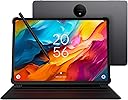
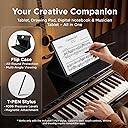
✍️ Elevate your digital canvas with precision and style — the NXTPAPER 14 is your all-in-one creative powerhouse!
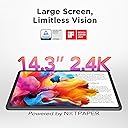
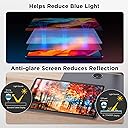
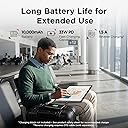
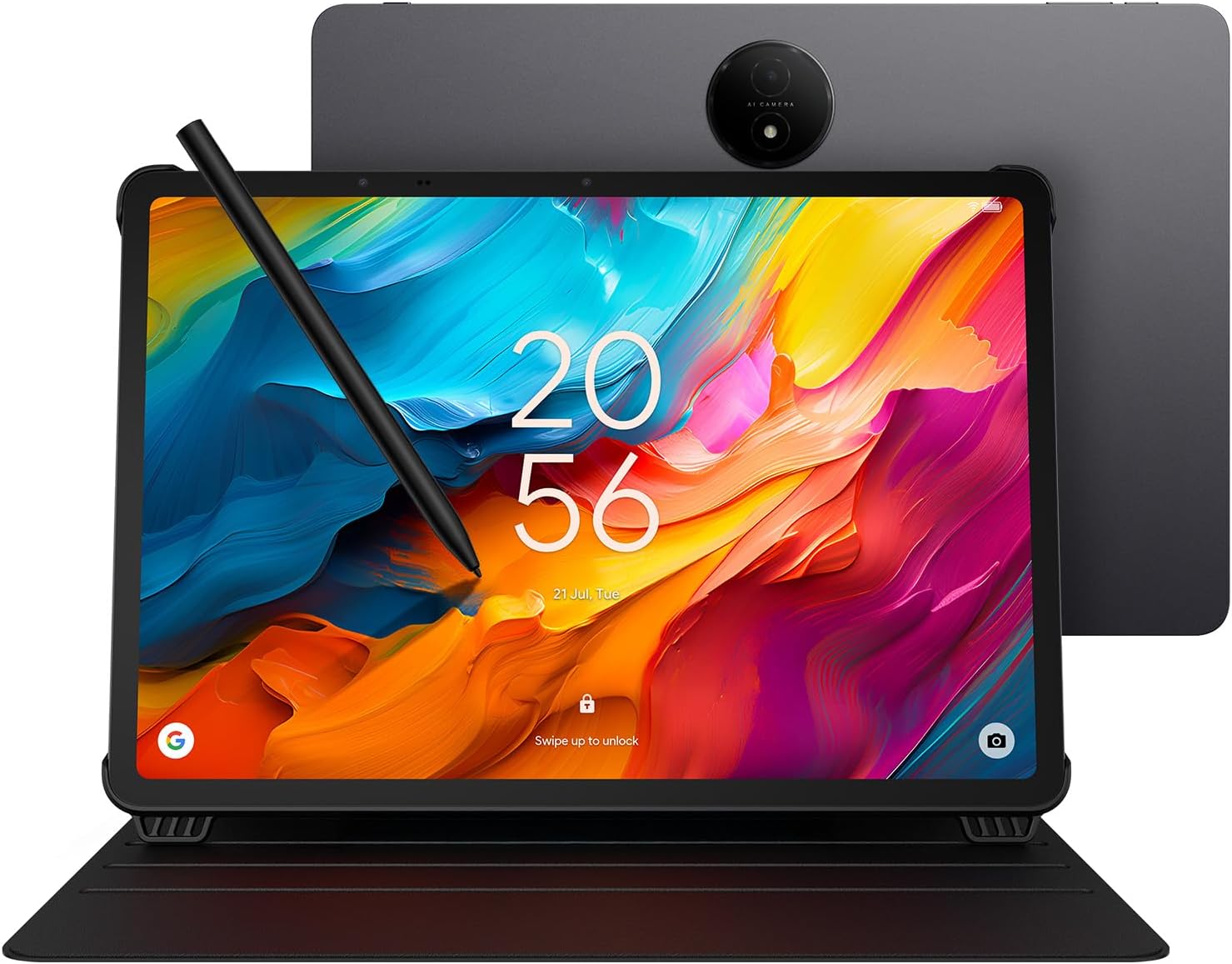
The TCL NXTPAPER 14 is a versatile 14.3-inch Android 14 tablet featuring a 2.4K paper-like display with NXTPAPER 3.0 technology for eye comfort, a 4096-level pressure-sensitive stylus, and a powerful MediaTek Helio G99 processor. It offers 8GB RAM plus 8GB expandable memory, 256GB storage, and a robust 10,000mAh battery with fast and reverse charging. Designed for professionals and creatives, it supports multi-window multitasking, three specialized display modes, dual front cameras, and a quad-speaker system, all housed in a slim, durable metal frame with an included flip case for protection and hands-free use.


| ASIN | B0FLP554CZ |
| Aspect Ratio | 16:10 |
| Battery Average Life | 10 Hours |
| Battery Capacity | 10000 Milliamp Hours |
| Battery Cell Type | Lithium Polymer |
| Battery Power | 10000 Milliamp Hours |
| Best Sellers Rank | #4,512 in Electronics ( See Top 100 in Electronics ) #120 in Computer Tablets |
| Brand | TCL |
| Built-In Media | Flip Case, T-PEN Stylus, TCL NXTPAPER 14 Tablet, USB-C Cable |
| CPU Model Number | Helio G99 |
| Camera Description | Dual front cameras (13MP + 5MP), 8MP rear autofocus camera, 2K video support |
| Color | Gray |
| Compatible Devices | Stylus, Laptop |
| Connectivity Technology | Bluetooth, Wi-Fi |
| Customer Reviews | 4.5 out of 5 stars 167 Reviews |
| Display Resolution Maximum | 2400 x 1600 Pixels |
| Display Type | LCD |
| Generation | 1st Generation |
| Graphics Description | Integrated |
| Hardware Interface | Bluetooth, USB Type C |
| Human-Interface Input | OCR, Touchscreen with Stylus Support |
| Item Dimensions L x W x Thickness | 8.74"L x 12.69"W x 0.27"Th |
| Item Weight | 1.83 Kilograms |
| Lithium-Battery Energy Content | 39.86 Watt Hours |
| Manufacturer | TCL Communication Ltd. |
| Memory Storage Capacity | 256 GB |
| Model Name | TCL NXTPAPER 14 |
| Model Number | Helio G99 |
| Native Resolution | 2400 x 1600 pixels |
| Operating System | Android 14 |
| Other Special Features of the Product | All-Day Power with Extra Utility, Creative Freedom with Precision Stylus, Paper-Like Viewing Experience, Powerful Performance & Productivity, Versatile Screen Modes |
| Processor Brand | MediaTek |
| Processor Description | MediaTek Helio G99 |
| Processor Speed | 2.2 GHz |
| RAM Memory Installed | 8 GB |
| Rear Facing Camera Photo Sensor Resolution | 8 MP |
| Screen Size | 14.3 Inches |
| Specific Uses For Product | Creative, Professional, Entertainment |
| UPC | 889063533669 |
| Video Capture Resolution | QHD 1440p |
| Warranty Description | 1 Year Manufacturer |
| Warranty Type | Limited |
| Wireless Compability | 802.11ac |
| Wireless Technology | Bluetooth, Wi-Fi |
J**N
In love with this TCL tablets
Great size and resolution. Working perfectly for reading books using reading modes, color and B&W and google books app, pdf readers, etc. Modes are great. I bough 1 tablet for my wife too because she was in love with the 14" size, and now she is playing games, and seing netflix, and very happy. Battery life is ok, quality is perfect, easy to setup, 4 speakers (nomal sound, not a super quality sound but like my ipad pro), connectivity is fast for wifi and bt.
J**D
This is a surprisingly good large Android tablet at a good price
Happy with the purchase, and a bit surprised at how well it works so far. The large size makes it easy to read documents, the "paper" modes are a nice addition, and the battery lasts for hours of use. I was able to install an email program (not Google) and it worked right away. Other Playstore apps work on it too (I have a few favorites to install). The cover is also nice, although I don't know why the included a felt-loop stylus holder - the magnetic attachment is great; maybe the loop is for those who don't want to use the case. A couple of things to note: 1) the description says the device works only with the stylus. This is not exactly correct. Finger touches work, and I was able to quickly connect a small Bluetooth keyboard (which makes emailing much easier). 2) However, attempting to use a small plastic pointer and an old PDA stylus did not work for me, so perhaps that is what TCL means about working only with their stylus. 3) The device works with stylus, fingers, or BT keyboard with or without a screen protector. The pointing accuracy is best with the stylus, of course. 4) Although a spare stylus tip is included it seems likely that replacements will be needed over time. I hope TCL makes them available at a reasonable price. 5) Due to the inability to use an alternate stylus, I hope TCL also makes spare stylus pens available a reasonable price too. 6) I purchased a screen protector (I use them on all my touch devices) and noticed that the camera "bump" and two other sensors along the edge of the screen made it impossible to get a perfect fit. This is not TCL's fault, it is more likely due to the rather rigid screen protector. And it does not affect functionality - the slight detachment is outside of the actual screen area. However, it seems possible that the slight separation could get snagged and detach over time. A Zag protector (if available) would undoubtedly do better. I'll leave a comment about that on the screen protector review (not a TCL product) 7) Related to the previous point: the screen protector attached well to the screen (I use rubber gloves and a small rubber squeegee to apply them smoothly), but when the power is off there is a "ripple" effect that appears to be inconsistencies in the screen protector plastic itself. I tested with all three paper modes of the TCL, and with power on the ripple is not noticeable. Note: these are definitely *not* air pockets between the glass and the protector, but rather, appear to be inconsistencies in the protector film itself. Annoying but not a serious problem for the TCL. 8) It would be nice if the TCL had a smart card or microSD slot. For simply viewing PDFs and such, 128 GB may be fine, but with a few apps installed, another 128-256 GB, on microSD, would be a very welcome addition (and Android already handles SD devices, so this amounts to a small case change, a small PCB change, and a $0.50 connector. I hope TCL will consider adding an SD slot on future releases. After a few days use I'd buy this again. Nice design, really easy on the eyes, surprising screen mode "paper" options, good battery life, and it was delivered fast and *very* well packaged. Five stars.
D**G
Perfect for reading e-books.
Really great Android tablet. Best size for reading e-books. Fantastic display. Comes with stand and rechargeable pen. Probably great for drawing but I am not an artist, just an old man who needs a large screen to read. Cons: Speaker sound tolerable but not great, no keyboard, no slot for micro SD card, no earphone jack (needed as antenna for radio app). Must use bluetooth devices.
G**S
It is as great as the reviews demonstrate.
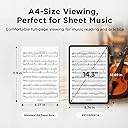
This is an amazing product. I am not going to get into all the details that this can do since you can read them all yourself on the many articles and videos written about it on line. The price is remarkable compared to others out there. I use it as a musician who plays in a community concert band and orchestra. The screen size (14.3) is as good as regular sheet music size!! Big plus and....it's android. The screen is a matte finish to reduce glare from inside lights and is viewable outdoors. This is great for those of you who don't want to take out a mortgage to buy an ipad and those who prefer to stay away from snobby proprietary Apple products. The sheet music software that works with this is called Mobile sheets. It does everything you need to run your music programs with great flexibility and the app is only $15. Fourscore does not work with an android product, but this software gives Fourscore a run for its money. I did buy an Anker Nano 100W USB-C Charger because charging this can take a very long time unless you use a faster charger. After a two hour rehearsal session, it only drops to about 85%. It works well with Blu tooth pedal page turners.
J**F
If you're a musician and don't own this: WHY NOT?
I'm never "Blown Away" .. and I'm absolutely blown away. The size is perfect. If you're a musician and you've walked into rehearsal with a folder of music? You've had the "this" experience. Perfect size, perfect weight, perfect sturdiness. The case and pen are simply perfect. The experience is better than I ever could have imagined. I almost bought the 11" new Kindle for the cool color tones and ability to sketch and draw with them: This gives me that exact experience with the touch of the color button. You can go from "my eyes my god my eyes" with the huge "regular" depth and color experience, or a super cool e-ink color experience (so convincing) .. or an e-paper experience and it completely changes EVERYTHING. It's beyond incredible. It's incredibly quick: mobilesheets just flies during import and recropping, for the first time, is a pleasure. tapity-tap tap done next. Incredible. AND ONCE YOU SEE YOUR MUSIC in e-paper mode .. just SO LARGE and legible, even old hand-written flute stuff, it's just .. you want to practice just to use the tablet, and that has never happened in my life. Digital music has finally arrived. I'm am beyond thrilled. It's insane. Buy it NOW.
5**S
For TCL - Note Taking Is NOT it's Best Feature
The hype suggests that this tablet is in direct competition with something like the Boox or the Remarkable or the Kindle scribe. Well, not so fast. Visually, it is great. The features that mute the colors and provide a more e-ink type visual display is probably something any tablet could achieve (but doesn't, I don't know). And it does make READING on the tablet easier on the eyes. The display and the visual experience is good. Watching a movie is OK but not the best out there. For the price, I'm not complaining! I think the best thing about this tablet is the size of the tablet and the visual aspects (with less glare). Writing on the table is a whole different thing. It is NOT even close to the experience of the Remarkable Pro. That is still the flagship device for me. Yes, I have tried Boox and other devices but none of them give the same kind of friction and feel you get when putting pencil to paper. That experience belongs to Remarkable alone. Having said that, TCL is better than writing on a glassy surface of something like the IPAD. But it is still slippery. I don't have the new scribe, but I have pen issues with the existing scribe where the calibration seems to drift. They may correct that but it will still not touch the Remarkable for the writing experience. Don't expect TCL to come with a notetaking app. That should tell you something. The purpose of this table is not for taking notes! For digital reading, it's much better than a standard tablet or even a PC. Video is challenging but acceptable. All that said, I'm keeping it. I'm not sending it back. I wish the note taking side were better but a 14" android tablet that is a good e-reader is in itself worth it's price in my opinion.
G**3
Awesome Music reader
I bought this as a backup/secondary music reader for my Samsung Galaxy tablet (not sure of its model offhand, just that it big and was pretty expensive, over $1000). I became aware of this after watching a YT video comparing different e-readers/tablets as music readers (great video by @MadMusicBand). At the cost of this, I couldn't turn it down. I find it ridiculous to spend over $1000 just to basically have a glorified e-reader, which is all you really need for music, to have it at normal A4 size. The screen size is more than adequate. You can easily get music to display at least as large as on paper and in most cases even bigger and is not super shiny, which the Samsung and iPad are. I had to buy a matte screen protector for the Samsung to cut down on glare as it gets really hard to see due to ambient lighting, stage lighting, etc. (BTW, iPads have this issue as well). It comes with a pen (on the iPad, that's an additional $80-plus bucks, at least for the Apple ones), which is really my only complaint in that you have to make sure it is turned on and charged. You have to plug it in to a USB-C to for charging. The Samsung S-pen easily charges on the back of the tablet, but it only really needs to be charged for the air gestures (or whatever they call it), which I find annoying to use. It (the Samsing S-Pen) functions as a pen on the tablet without any charging required. The only other drawback, which is the same complaint I have about the Samsung and iPads large enough that I'd use for music is the weight. If using for choir music, it can be a little heavy to hold up for a while, but not overly so, I have about the same amount of fatigue from holding a folder up for paper music for more than a song or 2. I would suggest putting it in one of the music folder that will hold open at an angle and one of the folder companies does make a "adapter" to hold tablets in them. This will work in that adapter, but definitely stretches it to its limit. If using on a stand, this shouldn't be an issue. I highly recommend MobileSheets as a reader (and it's multi-platform). It not only will turn pages with gestures (winks, moving head a certain way), or foot pedal, in addition to the usual screen taps, and also has the ability to link 2 tablets together so you can have multiple pages displayed at once and turn pages on both with 1 gesture/trigger (sometimes takes a little fiddling with but works well and is pretty cool when you get them linked).
D**Y
The tablet for musicians
I bought the TCL next paper 14 for reading sheet music. A few years ago I purchased music books in the Kindle app but they did not format to my IPad air 13. The next paper 14 provides good contrast and an evenly bright screen. I can now flip pages effortlessly, a difficult task for an old person who can’t play by ear. The screen is a non reflective textured flat mat finish, very unusual on a cheap tablet. For the tablets excellent slim metal build, it is light weight. The tablet makes keyboard playing, for me, possible and I am sure it will be a great benefit for other elderly players.
Trustpilot
1 month ago
3 weeks ago