We remain fully operational. Our teams are working around the clock to ensure your deliveries continue safely.

DOWNLOAD THE APP


Customer Services
Copyright © 2025 Desertcart Holdings Limited
DOWNLOAD THE APP


⚡ Empower your home with smart energy mastery — never miss a watt!
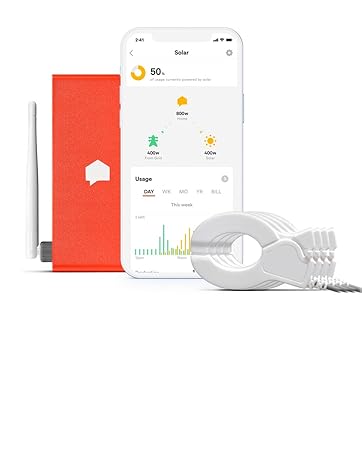
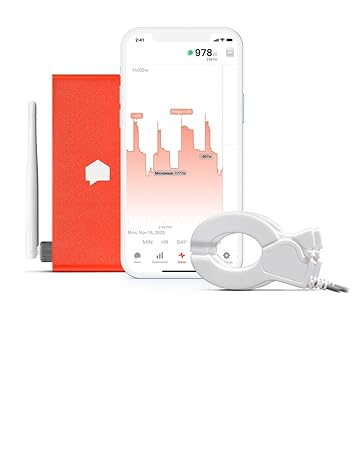
The Sense Flex Home Energy Monitor is a professional-grade device that tracks your home’s electrical usage with high precision by measuring both voltage and current. It supports up to two 120V/240V circuits and integrates with solar, generator, and 400A split-service systems. With real-time monitoring via iOS, Android, and web apps, plus customizable alerts for critical appliances, it empowers homeowners to optimize energy use, save money, and enhance home security. Installation requires access to the main electrical panel and some technical know-how.





| Manufacturer | Sense |
| Part Number | NFBB-ASSY |
| Item Weight | 2.14 pounds |
| Product Dimensions | 7 x 7 x 9 inches |
| Item model number | NFBB-ASSY |
| Color | White |
| Style | Flex Energy Monitor |
| Item Package Quantity | 1 |
| Included Components | 2 Sets of Current Sensors (4 pcs), Antenna, Power Cable, Sense Home Energy Monitor |
| Batteries Included? | No |
| Batteries Required? | No |
J**S
Very easy to install
I am an Electrician and decided to buy this monitor for my home with solar. I hardly write reviews but I am rather impressed with this monitor. First off, it's extremely easy to install. It took me about 15min. However this is what I do for a living so I would say 30min to 1 hour install time if you're not used to being in an electrical panel. If you're handy with tools you can handle the install. If you're not handy at all I would recommend getting someone to install it. You do have to go into the main electrical panel and there are dangers if you have no clue about Electricity. The second point I wanted to make, This unit measures the voltage as well as current. This makes the unit more accurate and I can attest to this. My inverter was only a few watts off of what Sense was reading. The sense uses the current sensors and measures the voltage. The formula for Watts is Voltage multiplied by current. I know some cheaper models will not measure voltage and it just assumes it's 240V, your Voltage can vary + or - 10 volts or more. Measuring the actual voltage makes it much more accurate. All in all I think it's a good unit and if you're on the fence I would recommend it. The only thing I do not like about the sense is it would be nice to have more ports for more current sensors. For most people this unit does the Job. Thanks.
T**A
Installation was very difficult due to poor wifi issues
The device seems very practical on face value, however implementation is lacking. The physical installation was a breeze, however getting it to work on a mesh network was extremely time consuming. I moved routers around, made a special guest network, made sure my network was broadcasting at 2.4gh... and nothing worked. The sense device would connect and then drop. Dozens of attempts... did I mention I spent hours on this? In the end I bought a crappy router that only broadcasts in 2.4ghz. At first it did not work, turns out my router was TOO close to the antenna, a problem noted on forums by other users, so after I moved the router further away it finally works, and has been steady for 24 hours now. It has not mapped any devices in this time. A further complication was with connecting the solar add on to Sense. I tried everything, attaching the sensors at several points on my solar system/electrical panels. I wasted the better part of two days trying to get sense to work with my solar system, but it kept hanging on the software recognition of my solar system. I put in a complaint to Sense, and they just had to do something on their end to enable solar. There was nothing in the installation literature where you had to go beg for them to activate the solar detection part of their device. I wasted hours when they simply had to enable it on their end. I wasted a weekend getting this going, any energy savings that this might get me is offset by the relatively steep cost of the sense device and the time it took to get it actually working.
R**S
Great device but headaches with install
I purchased 2 of these units, one for each of two homes. FIRST: Each device has to be on its own account, you cannot have them both on the same account. SECOND: When setting them up, BOTH TIMES I got a message "cannot talk to server" (even though the self-test passed and said all network comms were good for BOTH units). I had to e-mail tech support, they said "your unit was previously associated with another e-mail address". Really? This tends to suggest that the units I got were previously used. I find this unsatisfactory. I purchased both of these units with extra probes. One set for solar, and one for a dedicated hot tub circuit at the other house. In BOTH cases, NEITHER DEVICE would recognize the load on the second set of probes. About 2 days later, the unit installed with solar finally self-recognized the solar panel circuit and started working. However, despite following the instructions exactly, the probes set up to monitor a hot tub dedicated circuit would NOT work (meaning the unit will not recognize the load). How it cannot detect a five thousand watt load is beyond me. After 4 days it still won't recognize the load. I find this unsatisfactory also. The good: Once it starts working, the unit does a very nice job of monitoring power usage in your home. It takes it a while to learn what devices are, to be expected. One nice thing, you can "export" data to Excel for more detailed tracking and analysis. The "meter" function shows you real-time usage. In my case, I was able to see just how often my sump pumps were operating. So, once installed, I am pretty happy with the unit. The interface has some nice graphics that allow you to see what various devices use, how much solar is offsetting the grid draw, etc. I would suggest that Sense engineers clean up some of the installation issues (the app issues). Especially for units that monitor a second circuit (solar and/or a dedicated circuit). Neither of my units would detect the second circuit load despite following instructions exactly. Due to the message "cannot talk to server", I was not able to set up an account for EITHER device without assistance (this is totally unsatisfactory). Also, the "help" is via e-mail; there is no "chat" to get a more immediate response. The support is offshore, and I'd rate it mediocre at best. I am sure the support people are not too knowledgeable with regard to power. One technical thing that would be nice to display: power factor. Certainly this would be easy to add (it’s good info for people who are into power engineering). Note: I am an electrical engineer with 50+ years of experience, including 30+ years of power engineering. Physically installing the unit was easy for me; however, for most, it should be left to a pro.
P**G
Amazing second-by-second live power monitor
The Sense monitor is an amazing device. Having used a live power monitor for 10+ years (the Current Cost EnvIR), Sense takes this to the next level. Highly accurate - to the point where it can "see" the microwave door opening because the light comes on, even with the device not running. Because it ties into the electrical panel using 2 breaker slots, it monitors L1 and L2 voltage and can detect and report power spikes, floating neutral and motor stall conditions using some of the Sense Labs features. It uses AI to learn and associate devices in your home to their detected electrical "signatures", and has learned the majority of frequently-used devices in mu house in the first 30 days. I also added several compatible "smart plugs" that support energy monitoring to monitor specific devices even more accurately and to control them from within the app. It can be configured to warn you if a sump pump hasn't run recently (if expected to run), or whether you may have left the oven on. So it can add to home safety in addition to energy monitoring and identifying power saving opportunities. Highly recommended!
V**K
Good for Overall Electrical Usage - Poor detection capability
I have had the device for about 3 weeks now and while I have been told several times by their tech support that it is still learning, it has only detected on its own 3 devices in my house and one of them is a major device. It does a good job at integrating 3rd party devices with power monitoring, such as TPLink/Kasa and Philips Hue, it does not cover the full range of products. I purchased some TPLink/Kasa smart plugs with the newest Matter protocol, and it currently does not support them. While you can spend time cataloguing all of your electrical energy users, it really does not seem that it uses this information very well. There is no ability to help it learn by telling it what is running at a given point. I have 3 240 volt users of energy, the stove, dryer and an EV Charger. The only reason it knows about the EV charger is that I purchased the extra sensor clamps and put it on that dedicated service. It has only partially recognized the dryer. Today when the dryer was running, one of the “bubbles” in the chart recognized that the dryer was running, however the major component of the dryer was encapsulated in the “Other” bubble and it does not seem to be catching on that the majority of the usage is not being captured. It has not attempted to even recognize the stove/oven yet and it runs almost every day. The only reason it has recognize most of the devices including the fridge and the stand alone freezer is that I recently put smart plugs on those also to force it to see them. Technical support just keeps telling me to wait as it is a learning device and will eventually recognize them. This seems to be a common complaint in the forums and when you describe this to technical support with backup data, they try to soft answer you as opposed to giving you the sense that they will use the feedback as improvement. Overall I am neutral about the product and it is an expensive proposition if you cant regain the initial investment through energy savings. It’s integration with Home Assistant is mediocre at best.
V**W
I now have a way to see my usage of each device.
I was going bonkers trying to figure out what was drawing so much power. I discovered my AC unit was over sized. Luckily my system can be switched from 3ton to 2 ton. My consumption was 3700 watts while running in 3 Ton. My Condo is only 1200 sq ft so 2 ton is acceptable. I switched the system to 2 ton mode and went from around 3000 watts to around 1500 watts. This is a huge difference. I have seen no difference in the systems ability to keep the temperature just the way I like it. I then went through each breaker turning all off. Then one on at a time to discover where i was spending money. I am super impressed and extremely happy with my purchase. I bought the solar kit so I could use the second set of cables to monitor my AC. This has been very educational and I feel so much wiser. As a side note I use a portable AC unit in my office to keep it extra cool. I was skeptical of the energy consumption the manufacture claimed. But it takes less power to keep that room super cool than I could have ever imagined. Less than 100 watts when it is running. It would cost less to have these in each room when compared to a heat pump. I will be giving that company a 2 thumbs up in my next review!
E**S
Already Saving Me Money
New: I’ve had to remove a couple of stars from my rating, after using it over the winter and finding a pretty big issue. My circuit breaker panel is mounted outside, and I when it started getting cold, I was noticing that my monitor started to quit working. When I looked into it, I saw that the specifications of the monitor say that it is only rated down to 32°F, which seems too high to me for something that is mounted outside in a metal box. What’s worse is that my particular monitor starts to malfunction when the temperature is in the 40s. I tried to get support from the manufacturer, but we kept going back and forth because they were asking about my WiFi network and other unrelated things. Finally, they asked me to send it to them - at my own expense - and they’d check it out. I’ve decided to make a warming system for it instead, and my parts for that should arrive today. I still stand by my original review as far as how well this works and how neat it is, but when it gets cold outside, I’d kind of like to be able to see how much energy my heat pump is using instead of looking at an app with blank data because my monitor is too cold to operate. If you’re looking for a monitor and you have an outside circuit breaker box AND you live somewhere that gets below 32° in the winter, I’d recommend that you look for another solution. Original: I live in Texas, and the past summer’s heat wave was brutal on my power bills. I’ve never paid so much for electricity before, and electricity is cheap where I live. I live in a rural area, and everything in my home is powered by electricity, I’ve got a family of five, and we have a lot of electric gadgets. I also have two cars that get plugged in. All of that, plus constant AC in the summer, and I was getting $450 a month electricity bills. I decided to install solar to try to knock some of that bill down, and I also decided to get something to help me manage my power usage. I saw this, and decided to give it a try. I installed it myself, and it was very simple. In my outdoor circuit breaker panel, I can’t turn off all of the power, but as long as you’re careful and aware that you could die if you touch the wrong thing and avoid any danger, it’s not that bad. I’d still recommend that an electrician installs it if you’re not 100% confident in your ability to work around live power. This thing has some sort of detection feature to identify things, but it’s not perfect. In the two months that I’ve been using it, it’s identified some things, but it hasn’t been able to identify the majority of the stuff in my home. I’m surprised that it hasn’t detected our cars when they charge, because that’s a very identifiable power signature. If I can immediately see when a car is plugged in while looking at the app, this “smart” thing should be able to identify it, too. It’s found my air conditioner, clothes iron, printer, oven, and a couple of other things, but it still doesn’t know when my stove is on, when my cars are charging, when my coffee maker is running, when my washing machine is running a load, etc. There really needs to be a way to tell the app when you know that something is running to help it “learn” your devices. From an energy monitoring standpoint, this thing is outstanding. It is super accurate at measuring my energy usage, and it is dead accurate compared to what my utility says that I’m using. My utility lets me see my usage, and it’s always exactly the same as what Sense says that I used, both energy received from them and energy sent back from my solar panels. Even if it’s bad at detecting devices, which is one of their selling points, it’s still great for helping you save money by figuring out where you’re using power that you don’t need to be. One night, I was looking at the power graph when my wife turned off the lights outside of our garage, and I saw a huge drop in the power being used. I thought that all of my lights were LED, but apparently those weren’t. That light gets left on all of the time because we can’t see it from inside, so it was 6 60W bulbs running all of the time. 360W of wasted energy for hours, all of the darned time. Sometimes I would come home from work and see those lights on during the day, so they might have been on since the night before. I replaced them with 6 6W lamps, so now when they get left on, they’re only using 36W. Ten times cheaper. It would take a very long time for that savings to pay for this gadget, but that’s not the biggest thing that it’s saved me money on. I’ve only been using the solar panels for a month, but with the Sense app, I could see that my solar inverter was shutting down many times during the day, every single day. My inverter would show no faults, and it wasn’t alerting me of any problems. Without the Sense, I would have never known that this was happening. By watching the graph, I was able to see that my inverter was shutting down every time that the tankless electric hot water heater was running. When it turned off, it would stay off for three minutes before resuming production. Whenever we would be in the kitchen, every time we rinsed a cup, washed our hands, or did anything with hot water, our solar would stop producing for three minutes. Our dishwasher sprays a little bit of hot water every five minutes while it’s washing dishes, so every time it does that, no solar for three minutes, if we ran our dishwasher at noon, during peak solar production, we would be losing 3/5 of our solar power during that hour. That is a LOT of lost money over a pretty short time, and I never would have known about it without this gadget. I fixed the water heater, which was injecting too much electrical noise onto my AC lines and shutting down my inverter, with a pair of AC starter caps that cost me $20. Now, using the Sense app, I can see that my solar system is producing power constantly throughout the day. Just that one fix will save me enough money to make buying this worth it. The app is very nice and intuitive, and it breaks down your energy usage very well. Even if it doesn’t identify everything, you can still see what happens when you unplug things. Does the amplifier in my media closet need to be plugged in while I’m not using it? Well, it’s burning 50W while it’s in standby doing nothing, so maybe I can leave it unplugged, or use a smart switch to turn it on when I want to use it, I would rate this 5 stars if the device detection worked as well as they claim it did. This was why I purchased thus one instead of other ones, but it’s really bad at identifying things, it shouldn’t take a year to figure out what my electric range is. I just had it identify something after it’s had two months of watching it turn on and off. That’s way too long. Other than that, though, this is really nice.
T**D
No Support, Incorrect Instructions, Failure to start Signal Detection and the list goes on...
Like many others I had high hopes. I do a lot of research when purchasing things to make the best informed decision. As a matter of fact, this Sense Flex was replacing another energy monitor that came with the ATS Panel from Generac. The Generac PWRView was flawless at matching my utility companies numbers, but the software was garbage. This led me to purchase the Sense Flex. Based on the reviews online and Sense's advancement in AI, my educated decision was to go with Sense Flex... and from there it goes downhill: To start... I get the unit, open up my panel and install the device per the instructions. For install with a generator the diagram clearly shows the Flex CT Clamps on the utility side (service main) before the ATS and the main CT Clamps between the ATS and the load. Then we get to the written instructions which say to clamp the main CT clamps to the service main. Welp ... the diagram shows the Flex CT clamps connected to the service main but in writing they tell you to use the main CT clamps... Moving along! Next in writing they say that you need to connect the Flex CT to the "service line" which they show in the picture as the service main. But wait, they also say that you can connect to the generator lines that feed the ATS. Well those are completely different lines. So which is it? Well come to find out after extensive shuffling around in the panel the Main CT's need to go between the ATS and the Load and the Flex CT's need to go between the generator and the ATS. If it's any different you either get a reading of 0 or it thinks the generator is always on. To make everything so much more interesting, every time you reconfigure the CT clamps you have to data reset otherwise the device doesn't realize that you've moved things around. So now that we got the install sorted out... Time to watch the magic, or in my case, the lack of magic. Once the device is installed it's supposed to go through a signal detection phase where it starts at 0% and works its way up. Two days later I'm still stuck at 0. So I contact support. That was useless because 2 more days and there's no reply. The "community" forum is active with employees almost every hour, they are all over twitter, but it appears that no one can help you when you file a tech ticket. So I go to subscribe to the forum because that's where everyone is. Welcome to the forum, where you can't post anything until we "trust" you will be a good citizen of our lovely forum which could take days. They actually send you a message stating that when you sign up. So, strike 2. Let me call them, nope, they don't have a phone number. Strike 3, I'm done. So here I am analyzing the data to see if there's something I missed and I start to compare the Sense to the utility company. My raw numbers are way off. So I look in the Sense app and see that one of my CT clamps reports 0. I go out to the panel, give it a tap with my fist, and off we go reporting numbers again... until tomorrow, rinse and repeat. So do I have a defective CT? Maybe, let me add that to my ticket that no one will reply to. Done. Wait some more, move the clamp a few more times, no tech support. So now I can't even get an accurate reading as to basic electrical usage. This is pure khW used in a day. Even the last monitor was able to get the baseline number right. Since I received no tech support, no community support and apparently a defective product I've ordered a new one and we'll see how it works when I get it. My hopes aren't so high anymore. I'll report back with updates once I receive the new unit. Many of the reviews on here are post install when they have reporting and detection issues. I haven't been able to get that far, so I'll have more to report in due time.
Trustpilot
2 weeks ago
3 weeks ago