Some deliveries may take a little longer than usual due to regional shipping conditions.

DOWNLOAD THE APP


Customer Services
Copyright © 2025 Desertcart Holdings Limited
DOWNLOAD THE APP




⌨️🚀 Elevate your mobile workspace with sleek, silent, and seriously reliable Bluetooth power!
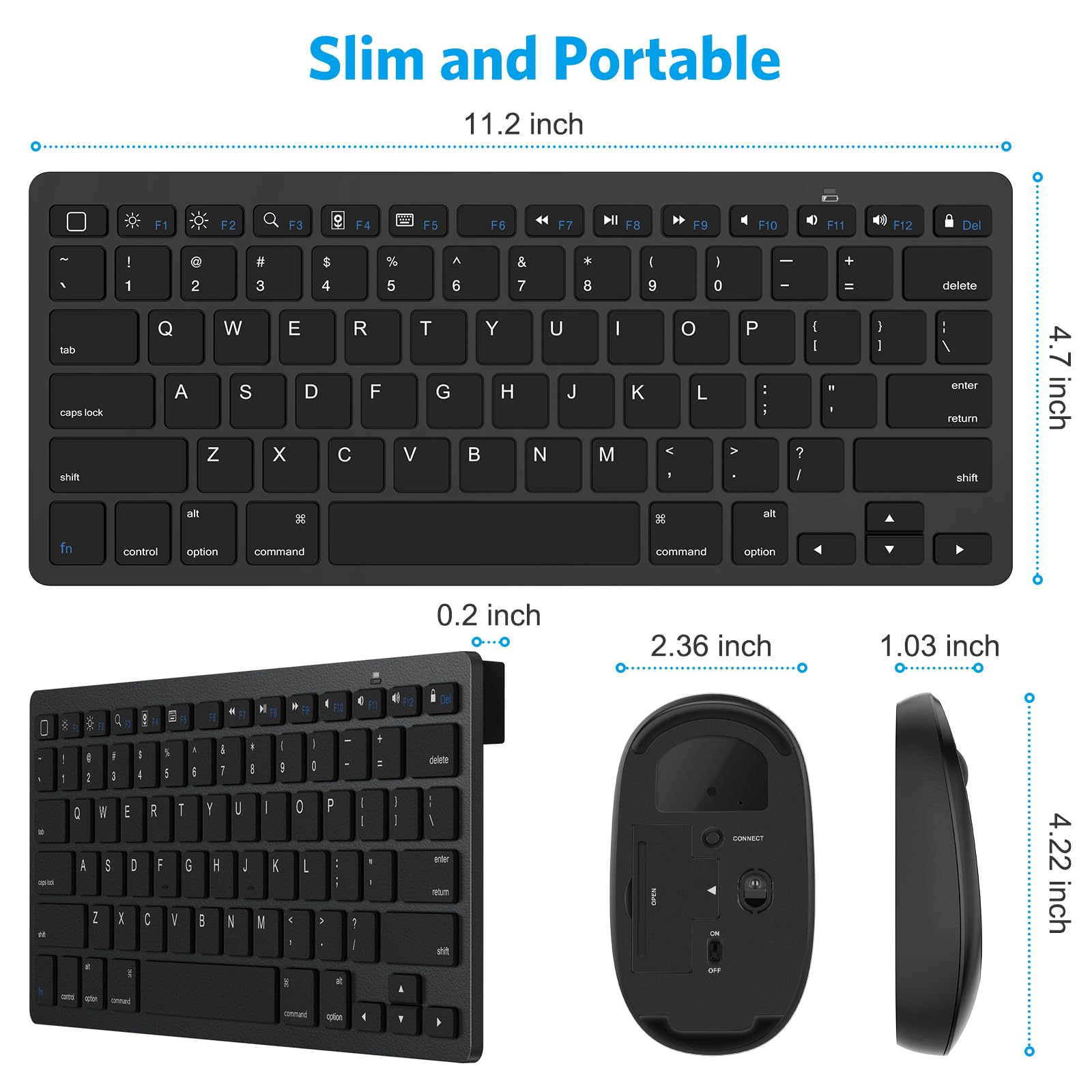
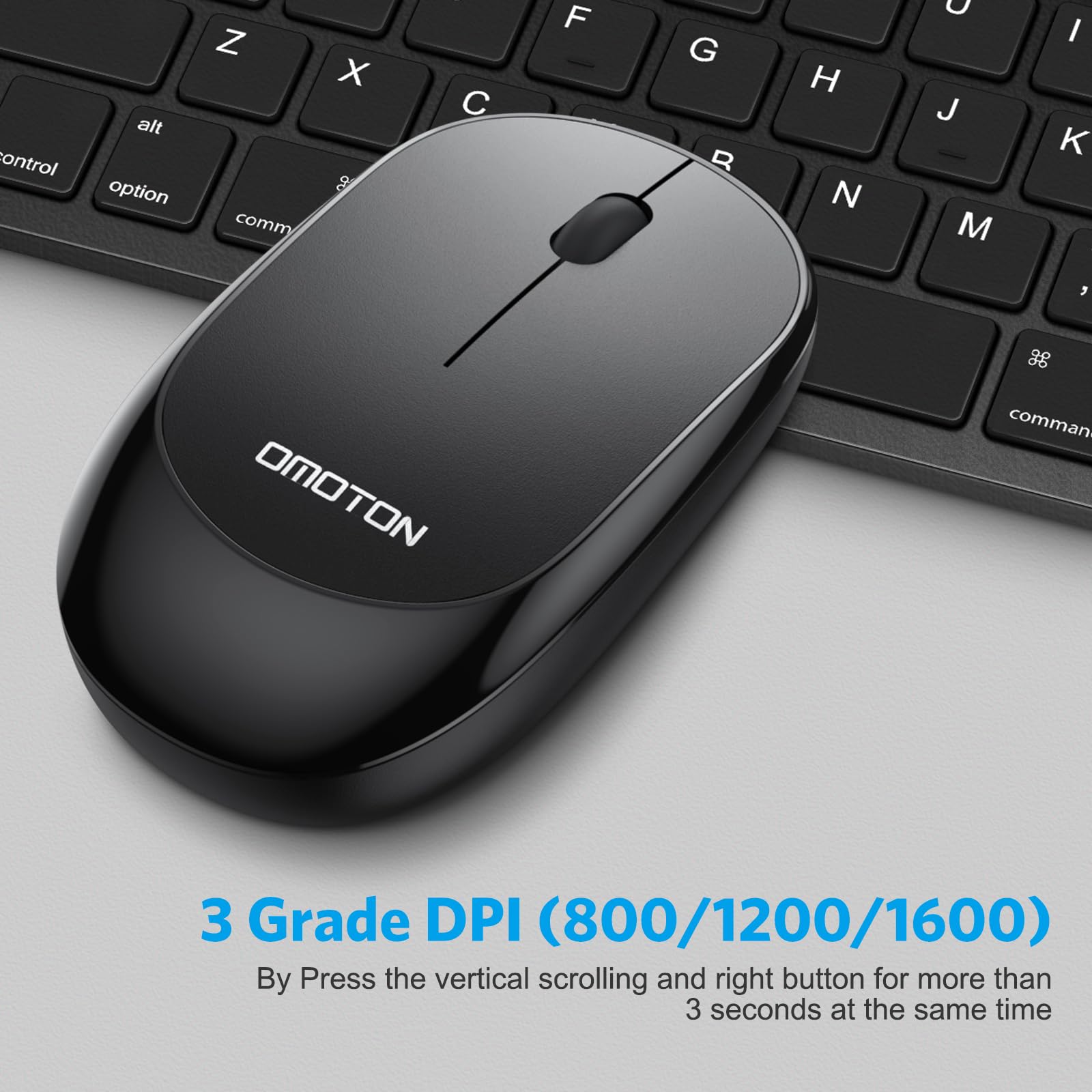
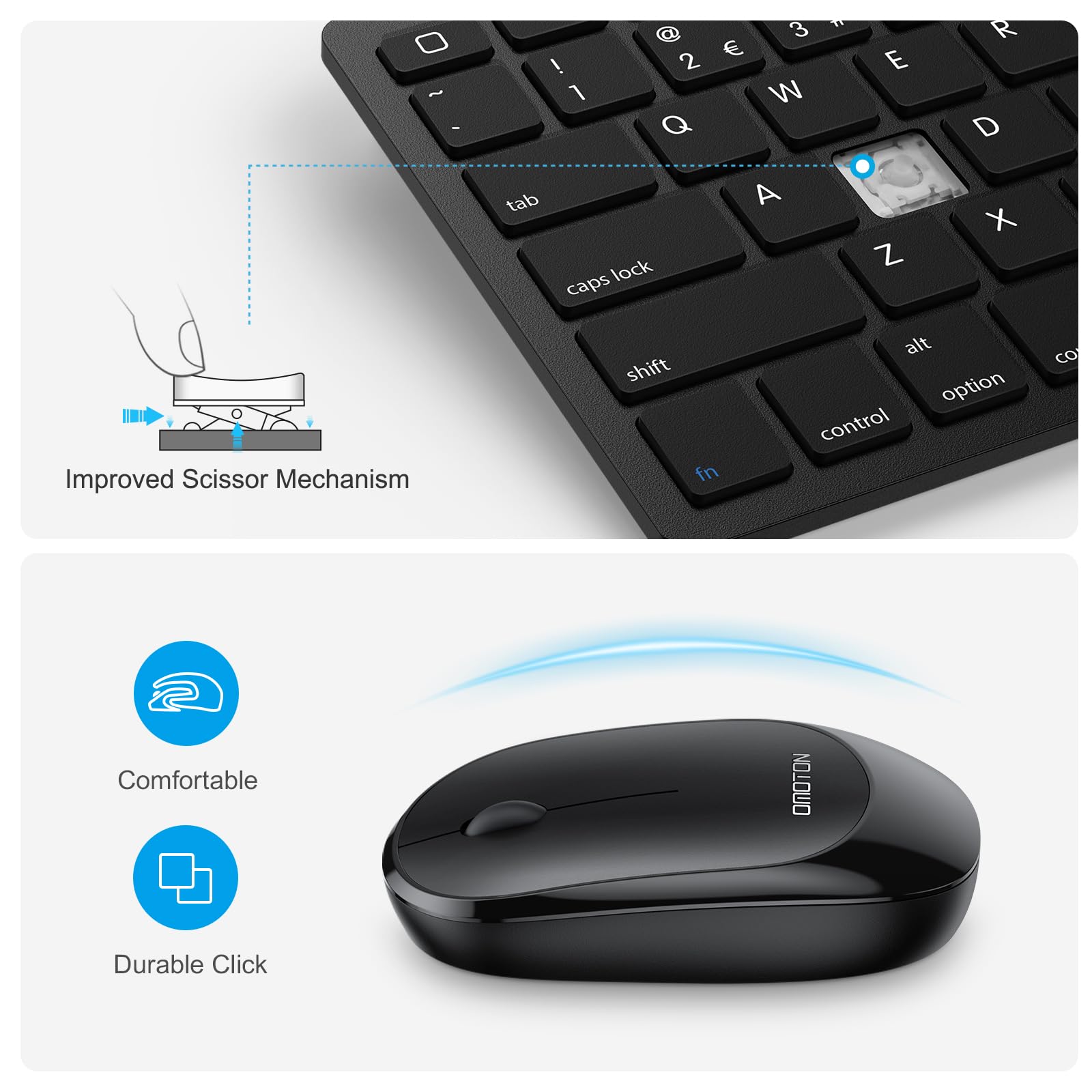
The OMOTON Bluetooth Keyboard & Mouse Combo offers broad compatibility with the latest iPad models and other Bluetooth devices, delivering a stable 33ft wireless connection. Its ultra-slim, lightweight design ensures portability for busy professionals, while scissor-switch keys and silent mouse buttons provide a comfortable, quiet typing experience. With months-long battery life supported by smart power-saving features, this combo is engineered for seamless productivity anywhere.


| ASIN | B08NX8936S |
| Best Sellers Rank | #320 in Computer Keyboard & Mouse Combos |
| Customer Reviews | 4.4 4.4 out of 5 stars (1,356) |
| Date First Available | August 11, 2020 |
| Item Weight | 15.2 ounces |
| Manufacturer | OMOTON |
| Product Dimensions | 9.84 x 3.15 x 1.18 inches |
J**R
Great Buy
Great keyboard and mouse. I wanted something to go alongside my iPad. Works great for my needs.
B**L
Fantastic and easy-to-use keyboard/mouse.
I've had an iPad for a while and decided it was finally time to pick up a bluetooth keyboard and mouse for it. This keyboard is fantastic. Pairing it with my iPad was incredibly easy and it was ready to use right away. I actually really like the fact that this uses batteries rather than having to be charged. I was a bit worried about it seeming too small, but it's just the right size. I take this with me wherever I go now. If you're looking for an affordable keyboard/mouse combo then this is definitely for you. Incredibly happy with this purchase.
S**Y
Good value for the price
Very pleased to have both a keyboard and a mouse at this price. The keyboard and mouse set up easily with the included instructions and were quickly recognized by my iPad Air 4th Generation. Haven’t had to re-pair them—-just power them on and they are quickly connected. The iPad function keys work very well. These are not rechargeable, thankfully as I preferred models with replaceable batteries as I don’t want yet another device to recharge. Not sure how well they will hold up but so far I’m delighted. While inexpensive in construction, they are stylish, clean, and comfortable to use. I’m using an Omotom iPad stand with these and the combo is great!
T**B
Sturdy Keyboard and Mouse
Very nice product. Connectivity is easy. The keyboard is sturdy and has a nice feel to the buttons when using. Battery life is crazy long. The mouse is comfortable and has good speed. Overall it’s a good size and well worth the money
A**S
⭐️ Highly Recommended!
This keyboard/mouse combo for my 9.7 inch Pad (6th gen) works flawlessly for such an affordable price. It was very easy to connect them both. I am currently operating with the iPadOS 15.4.1, so connectivity was not an issue. Sleep mode works great and both the keyboard and mouse are very easy to operate. The icons on the keys of the keyboard are an added bonus for a user friendly experience. I do wish there were a way to change the curser shape from the dot to an arrow or brighten it somehow on the screen. Otherwise one of the Best accessory purchases I’ve made for my iPad, since my iPad stand.
A**R
Good value, not perfect
The bluetooth was a really easy setup. Need an AA and 2 AAA. I have small hands so I like the mouse- but i'm not sure it would be very comfortable for someone with big hands. The keyboard makes a little rattling sound on a hard surface so I placed it on a thin neoprene mouse pad and it is much quieter. This compact, lightweight setup was just what I needed. Only thing I'm unhappy with is where the Control button is placed. The FN button is on the outside of it and I keep hitting that, which is super annoying.
K**R
Generally pleased with this combo
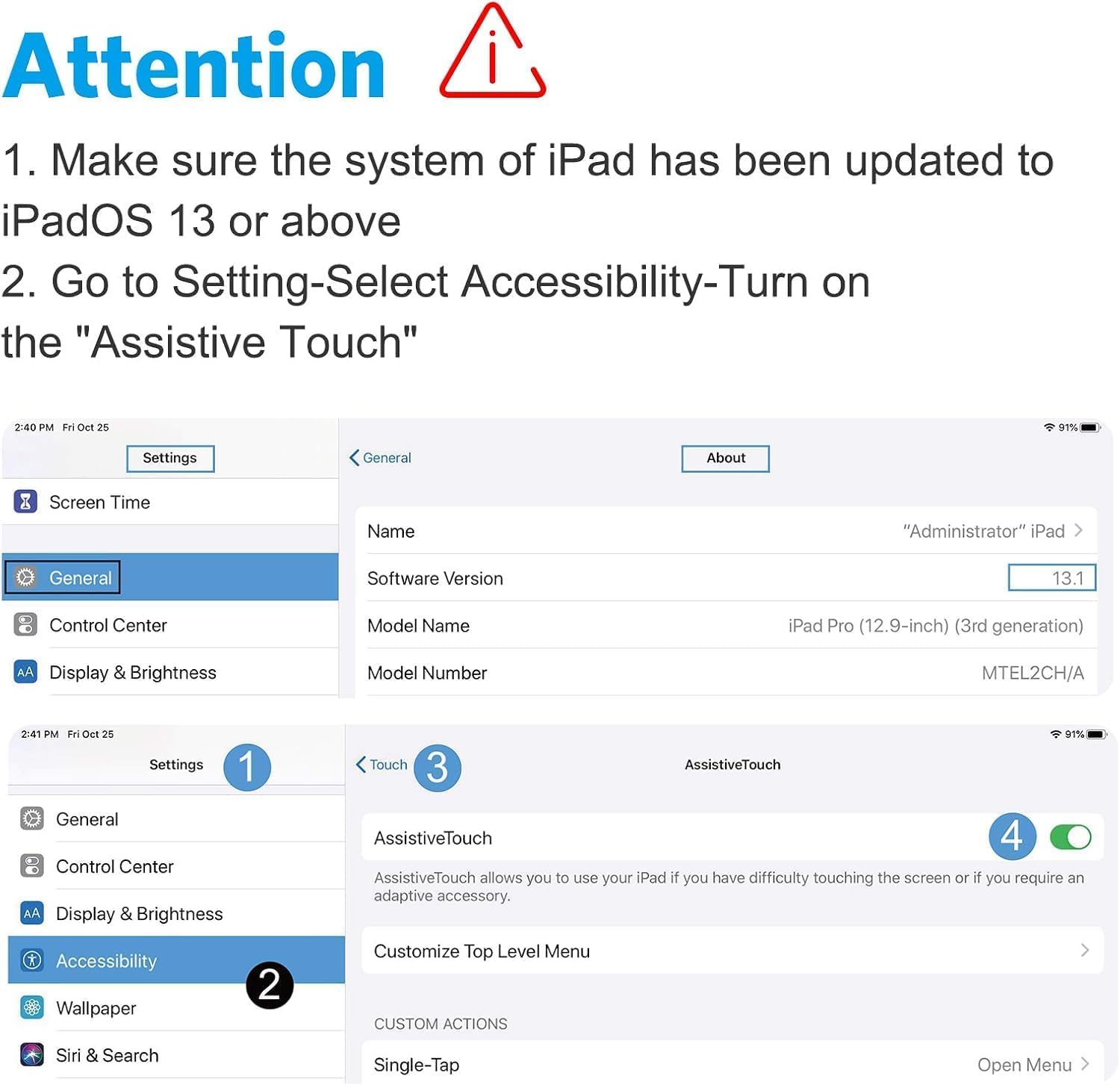
I bought this combo for the keyboard. I had an amazon keyboard to be used with an old Fire, and it worked for awhile with my iPad, but it was flaky and would often go out to lunch. Eventually it quit working altogether. This new keyboard works great, and I’m using it now to write this. It would be even better if I could remember what all the function keys did, but as a functional keyboard, it’s wonderful for composing blocks of text. I didn’t know if I would like the mouse, and it’s functional for the most part. When enabled, it puts a pointer on the screen, and I can mouse around without ever touching the screen. (Mostly. On rare occasions, clicking certain buttons doesn’t work, and I must finger them instead.) After using it for awhile, it’s neat, but I don’t think it adds much value to my life, and I probably would not get it again. There is a down side to the mouse that probably tempers my enthusiasm. To get it (and its competitors by what I read) to work, I must enable touch assistive technology in the settings. However, when I don’t have the mouse powered up or near by, I see a non-mouse round pointer on the screen, which opens a high-level menu when touched, and there is no way to get rid of it. I’ve tried moving it to corners of the screen, but it still gets in the way. I believe it’s designed for people why need assistance in interacting with their iPad. I discovered I could minimize its effect by (in settings) by turning down its visibility to a minimum (15%) and setting it from “open menu” to “none” when I touch it. So now it subsides to near invisibility, but it flares up to a unblinking fisheye when I touch it but without showing a menu. There’s another solution that I now use. When I’m not using the mouse, I turn off assistive technology. The keyboard still works, but it shuts down the mouse. I don’t blame the manufacturer for this, by the way. It’s in the OS, and I hope someday the IPad OS will separate mouse usage from assistive tech. Update: Well, it turns out that the mouse still works even when I turn off assistive touch! It doesn’t have the right-click feature I want (return to Home Screen), but it still works! Thumbs up!
J**K
Super easy pairing.
Exactly as advertised Super easy pairing.
Trustpilot
3 days ago
1 month ago