

🖨️ Print smarter, save bigger — the future of hassle-free office printing is here!
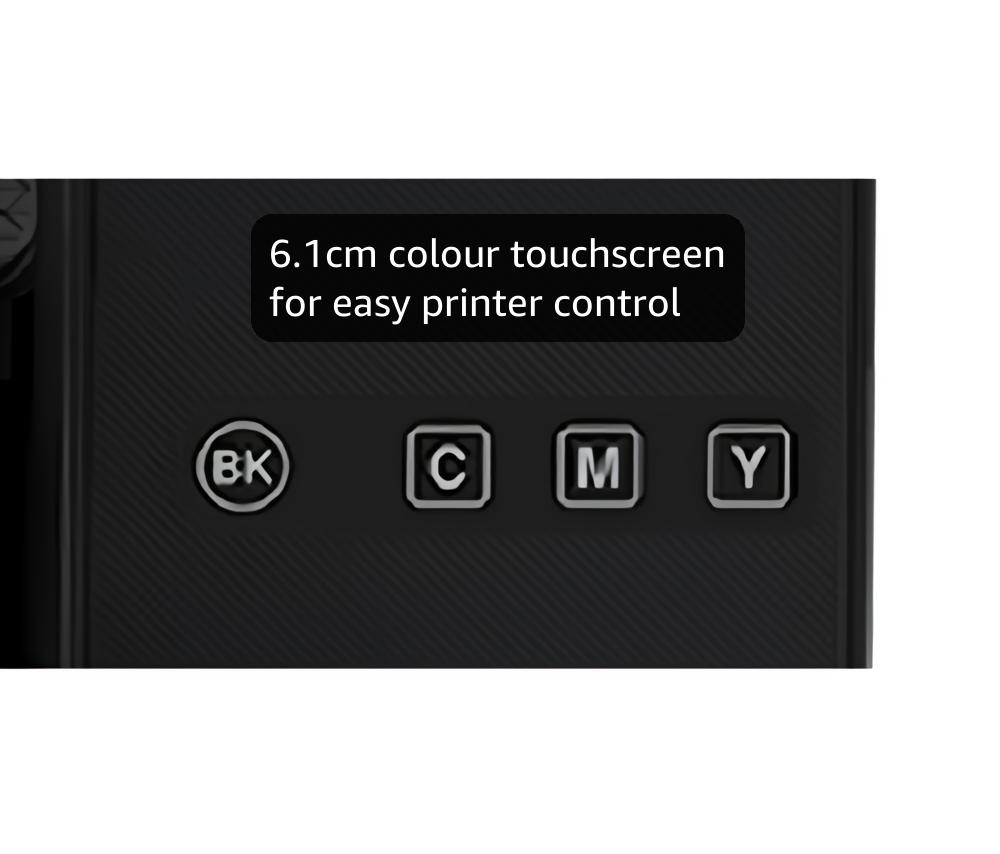
The Epson EcoTank ET-4850 is a compact, multifunction inkjet printer designed for home and small office use. It features ultra-high capacity refillable ink tanks that deliver up to 3 years of ink, drastically cutting printing costs by up to 90%. With automatic duplex printing, a 30-page ADF, and a 6.1cm color touchscreen, it streamlines workflows. Full wireless connectivity and the Epson Smart Panel app enable seamless printing and scanning from mobile devices. Powered by PrecisionCore Heat-Free Technology, it offers vibrant, high-resolution prints while reducing energy consumption.


| ASIN | B09GL18WLH |
| Additional Printer Functions | Scan |
| B&W Pages per Minute | 33 |
| Best Sellers Rank | 19,088 in Computers & Accessories ( See Top 100 in Computers & Accessories ) 19 in Ink Tank Printers |
| Box Contents | Printer |
| Brand Name | Epson |
| Color Depth | 48 bpp |
| Color Pages per Minute | 20 ppm |
| Colour | Black |
| Compatible Cartridge | EcoTank |
| Compatible Devices | Laptops / PC / Smartphones / Tablets |
| Control Method | App |
| Controller Type | Android |
| Customer Reviews | 4.3 out of 5 stars 413 Reviews |
| Dual-sided printing | Yes |
| Duplex | Automatic |
| Hardware Interface | Ethernet |
| Initial Page Print Time | [~15-20] seconds |
| Ink Colour | Black |
| Item Dimensions D x W x H | 34.7D x 37.5W x 23.1H centimetres |
| Item Type Name | Inkjet Printer |
| Item Weight | 6.7 Kilograms |
| Item height | 23.1 centimetres |
| Manufacturer | Epson |
| Maximum Copy Resolution Black and White | 600 dpi |
| Maximum Copy Resolution Color | 4800x1200 dpi |
| Maximum Copy Speed Black and White | 33 ppm |
| Maximum Print Resolution Black and White | 600 dpi |
| Maximum Sheet Capacity | 200 |
| Maximum print Resolution Color | [Haute résolution] |
| Media Size Maximum | A4 (210 x 297 millimeters or 8.3 x 11.7 inches) |
| Model Name | EcoTank ET-4850 |
| Model Number | C11CJ60401 |
| Model Series | ET(EcoTank) |
| Network Connectivity Technology | Wi-Fi |
| Number of Trays | 1 |
| Other Special Features of the Product | Network-Ready |
| Output sheet capacity | 250 |
| Paper Size | A4 |
| Power Consumption Size | 12 Watts |
| Print media | Glossy photo paper |
| Printer Output Type | Colour |
| Printer Type | Inkjet |
| Product Warranty | 1 Year |
| Resolution | 4800 x 1200 |
| Scanner Type | Photo |
| Specific Uses For Product | [VARIOUS] |
| Total USB Ports | 1 |
| Unit Count | 1.00 Count |
J**G
NICE AND COMPACT, EASY TO SET UP, CHEAPER WITH INK TANKS RATHER THAN CARTRIDGES!
I've just received an Epson ET-4850 printer with scanner and document feeder after years of HP printers being my go-to. First impressions, thumbs up for the easy instructions on initial set-up like filling the ink tanks for the first time, very clean and you can see the ink level. No more crazy expensive cartridges and the ink bottles give you 70ml (colour bottle with more in the black colour bottle) which is taken up on first set-up, so you will need to think about ordering some spare bottles as your ink gets used up. I have and the 3 colour and 1 black genuine Epson ink bottles cost me £34.00, which is way cheaper than the small amount of ink you get in cartridges. I'd say don't go for the super cheap replica ink as it will certainly be adulterated and your print quality will be poor. When it came time to try printing I hit a snag and the printer would not release print jobs from the printer history, turns out the printer driver was version 1 and what was needed was driver 2 which I downloaded from the Epson site, it took a bit of finding out but got there in the end, but still wouldn't print or scan, went online for some general assistance and was instructed to check the printer spooler and set it to automatic, did this turned computer and printer off and on again and finally could print out and scan fine. Size-wise its nice and compact, quite expensive compared to other printers but I'm hoping it will be worth it!
V**K
Print quality is excellent at a relatively low cost
Only had the printer for a couple of days but I am very pleased with it. My ten year old HP Photosmart needed replacing and after carefully reviewing the market I decided on this Epson tank printer. No more expensive cartridges and so far excellent prints. Setting it up was fairly easy but the multi-language instructions were a bit overwhelming!!! Connecting the printer to my WiFi and PC plus my phone and iPad was straightforward and all the controls were easy to use. The associated APP is very useful and easy to use. Although it’s early days, I think the print cost will be significantly less than my old HP cartridge printer. Overall I am delighted with this printer.My worries about the ink bottles being messy were unfounded as there was no spillage and filling the tank was very simple. The touch screen is rather small but is easy to use and the paper feed is very easy to fill. Overall, a very good product. I wouldn’t go back to cartridges.
A**R
Great printer, with caveats
I purchased the EcoTank ET-4850 to replace an ageing Epson WorkForce WF-3520. In writing a review it's impossible to not make comparisons. This review covers the points most noticeable to me. I would say the older WorkForce printer swings it in regards to build quality. It's a heavier beast and just feels a bit more sturdy. But the EcoTank has a smaller footprint, which is a bonus. This is an Apple household (two Macs and iPhones) and so in advance of delivery I installed the Epson Smart Panel software on my phone. It's mostly a rubbish app in my opinion. I couldn't use it set up WiFi on the printer because the instructions were so unclear on how to do so. The PASSWORD the app requires is the password found behind the ink tanks(!) and not your WiFi password, even though the app requested this password as part of the WiFi set up..... The password is visible behind the EcoTanks on the ET-4850. So I ended up setting the WiFi up manually using the printer's colour touchscreen. The screen is a bit of a chore. It's small and a bit fiddly. The fact is, that's it's a huge downgrade from the WorkForce's LCD screen. It looks like something Epson got out of a Christmas cracker. It's poor, but mostly serviceable. Installation on the Macs went as smooth as silk on MacOS Sonoma 14.1.1 and all scanning and printing functions have been fully tested. In terms of print quality, I've no complaints at all. We've not printed colour photos (typically a weakness with 4-colour inkjets), but I've printed a reasonable amount of colour work on card and glossy photo paper, including artwork, and I'm extremely satisfied with the results, which are better than the old WorkForce printer by a mile. Contrary to another review it will print duplex and collate pages, e.g 1 ... 10 or pages 10 ... 1, depending on your print settings. NB: None of the documentation I perused before purchase told me which WiFi bands this printer supports. I can confirm it only supports 2.4Ghz and not 5Ghz. Also, it is not clearly stated everywhere, but the UK version of the ET-4850 comes with TWO huge black ink bottles and one each of the three colours, albeit in smaller bottles. It's a huge amount of ink and I'm inclined to accept the three-years of ink claim is *plausible*. Overall I can highly recommend this printer. It does lose a star for the poor screen though and the disappointing set up via the app.
B**N
Great product but takes time to set up
Last month I purchased and returned the Epson ET 2861 because having set it up I discovered that it could not Air Print from my IPhone, nor could I print duplex. I set the ET 4850 today and I am pleased to say it does both and has a sheet feeder. It takes a bit of time to set up but it prints and scans rather well ( like most modern printers) and if you have the time to set up Epson Connect you can scan from the device to designated email accounts, Dropbox, Google Drive and other Cloud services. Emails and documents can be sent remotely to the printer. No surprises here but the ability to control the device from your smartphone using Epson Smart Panel is rather good and the online set up of the printer is straight forward if you have the patience. A good bit of kit but a novice might find setting up all the available services a bit of a challenge. At first sight the presence of a CD disk was a bit of a worry (just bin it if you don’t have a drive) as were the instructions as to how to set the device up as a fax which I rather think is a redundant means of communication.
A**T
Super printer. Prints well. Easy to use.
Super printer. Prints well easy to use. A1
N**S
A Disappointing 'Upgrade'
From a Loyal Epson Customer I am writing this review as a long-time, and formerly happy, Epson user. I owned two Epson ET-4760 printers—one for my home and one for work—and they were absolute workhorses. They did exactly what they promised, day in and day out, without a single glitch. Naturally, when it was time to upgrade, I stuck with the brand I trusted and purchased the EcoTank ET-4850. To put it bluntly, this has been a mistake and a source of constant frustration from day one. Where my old printers were reliable, the ET-4850 has been anything but. The print quality is inconsistent, forcing me to reprint jobs, which wastes expensive paper and ink. It sometimes prints duplicate pages or simply stops halfway through a document for no reason. The connectivity has been a nightmare; the Wi-Fi disconnects repeatedly, and I have never once been able to successfully connect or use the scanner feature over the network. The final straw is that the printer is now completely unusable. It refuses to connect to my Wi-Fi, no matter what I try. I have restarted it, reset it to factory settings, and gone through every troubleshooting step I can find. It just comes back with the same unhelpful message: "wifi connection problem 202620. Contact support service." To say I'm disappointed is an understatement. I paid a significant amount for what I believed was a premium, reliable machine, only to get constant headaches. And the worst part? The warranty has now expired, so I'm left with a very expensive paperweight. I can't return it, and I can't get it fixed without likely spending even more money. If you are considering this printer based on positive experiences with older Epson models, I would strongly advise you to look elsewhere. My trusty ET-4760s were flawless. The ET-4850 has been a complete downgrade in every way that matters: reliability, connectivity, and value for money. Save yourself the frustration.
C**R
good value
brilliant machine, bought to teplace an older model after 7 years
M**.
Disappointing to be considering replacement after twelve months.
The machine has been good but after ten months seems to be suffering age problems. Paper pick up is deteriorating.
Trustpilot
5 days ago
3 weeks ago