Some deliveries may take a little longer than usual due to regional shipping conditions.

DOWNLOAD THE APP


Customer Services
Copyright © 2025 Desertcart Holdings Limited
DOWNLOAD THE APP
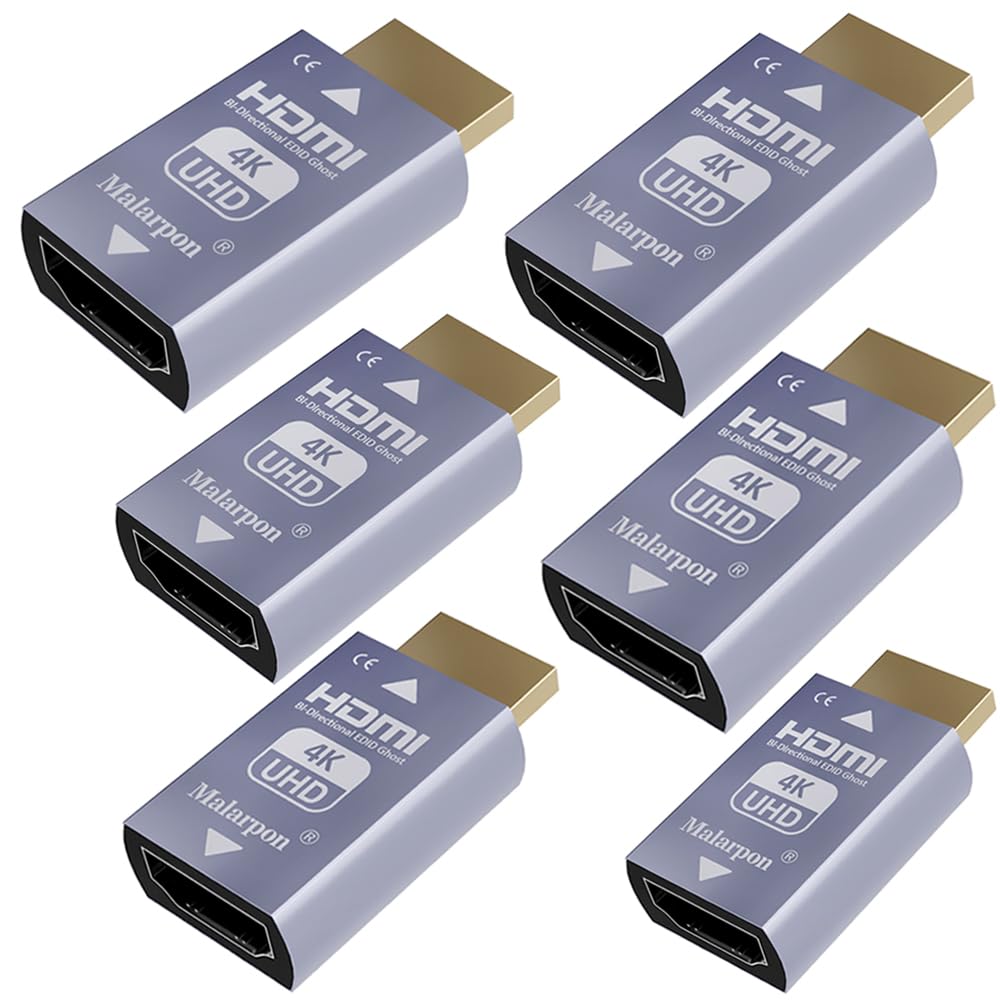
🖥️ Keep your screen steady, your workflow smoother, and your setup future-proof!
The Malarpon HDMI EDID Emulator Passthrough 3rd Generation is a compact, aluminum-encased device designed to maintain your monitor’s EDID signal even when the display is off or disconnected. Supporting 4K UHD resolution at 3840x2160@59Hz, it prevents desktop rearrangement issues on Windows and works seamlessly with HDMI and DP-to-HDMI setups. Ideal for professionals using headless devices or multi-monitor configurations, it ensures consistent video and audio passthrough without distortion or renegotiation delays.


| ASIN | B08RCLWB4P |
| Best Sellers Rank | #181 in DVI-HDMI Adapters |
| Brand | Malarpon |
| Color | HDMI EDID 4K-6P |
| Compatible Devices | Monitor |
| Connector Type | HDMI |
| Customer Reviews | 4.1 out of 5 stars 128 Reviews |
| Finish | Hdmi |
| Item Dimensions | 1.6 x 0.5 x 0.8 inches |
| Item Weight | 0.09 Kilograms |
| Item dimensions L x W x H | 1.6 x 0.5 x 0.8 inches |
| Manufacturer | Malarpon |
| Model Number | HDMI pass thought-16 |
| Number of Items | 1 |
| Number of Ports | 3 |
| Package Quantity | 1 |
| Power Plug Type | No Plug |
| Specific Uses For Product | Monitor |
| Unit Count | 1 Count |
| Warranty Type | Limited |
F**N
Worked perfectly for my computer setup!
Windows 10, bah! Someone at Microsoft should be fired for this one! So, win10 pc, 2 monitors connected to an older Lenovo ThinkCenter pc, both using hdmi ports. I leave the pc on as it is an amateur radio server running RCForb. Turning off the pc would shove everything on the left monitor (AOPEN 27HC5R Vbiipx) over to my old Samsung monitor. Turning the monitors back on and things would end up either back in its place or staying on the smaller Samsung monitor! Enter Malarpon emu! Plugged it in between pc and the hdmi cable going to the AOPEN monitor, turned both screens off, checked it using TightVNC from my phone and my home pc and everything is now staying in place! Make sure to purchase the correct screen resolution and refresh rate for your monitor's current setting, or you'll have issues with it. Might need to search for one that matches your settings EXACTLY, but these passthrough devices seem to do what they're supposed to, that is, fix Microsoft's stupidity with the whole EDID issue. Perhaps some day someone will have a hack to bypass it via software without having to write tons of code (as it is right now).
M**N
All good
Worked great
B**R
Works well, but not perfect
I have this connected to an HDMI switch so that I can toggle a 1920x1080 monitor between two laptops. Works perfectly. The laptops have no idea that the monitor is temporarily gone, so Windows doesn't try to rearrange all my applications. Update: I find that it occasionally drops the signal momentarily, causing the screen to go blank for a second or two. It isn't happening often, so I'm not complaining, but it can be slightly distracting.
R**S
Perfect
Added the EDID to my old KVM switch. Very nice.
J**W
Video works, but audio capped at 48Khz
The device does solve the problem I had with HDMI video not working, however, it does not pass through the full audio bandwidth. When I connect the PC to my TV I can get up to 192Khz audio. With this device in place audio is capped at 48Khz. Not acceptable, returned.
M**.
No EDID Impact
Did not have any EDID impact, no video receiver signal provided. 0/5
C**E
works on jetson orin
Works on my jetson when connecting to my video switch. if it doesn’t work for you your video switch may be bunk. had that problem on my previous switch.
I**N
120hz on Console Gaming is a Game Changer!
I purchased this 4K EDID emulator to use on my Asus VG279Q monitor in order to enable the 120hz on the PlayStation 5. The product works great! Just be sure to follow each step of the instructions carefully, including the “blind instruction” (step 5). I tried manually setting the PS5 resolution to 1080p before plugging the emulator so I didn’t have to worry about the “blind instruction,” although the PS5 still automatically adjusted to the emulator’s 4K signal therefore giving me a black screen when I first plugged it in. After the initial set-up the settings will save and will automatically boot-up whenever the PS5 is turned on. Great product, couldn’t be any happier! 120hz on console gaming is a game changer.
Trustpilot
2 weeks ago
3 days ago