🌍 Stay connected, secure, and ahead—wherever your journey takes you!
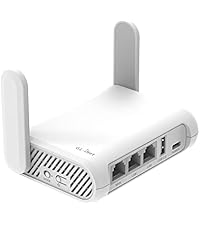
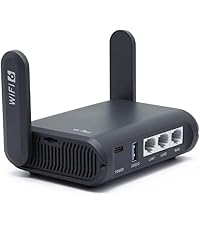
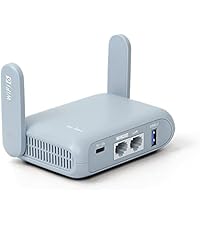
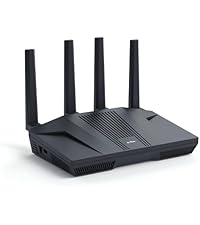
The GL.iNet GL-MT3000 (Beryl AX) is a compact, travel-optimized Wi-Fi 6 router delivering dual-band speeds up to 2976 Mbps, equipped with advanced security protocols including WPA3 and built-in VPN client/server support. Featuring a 2.5G multi-gigabit WAN port, USB 3.0, and OpenWrt firmware for extensive customization, it’s designed for professionals and digital nomads seeking reliable, secure internet access worldwide.




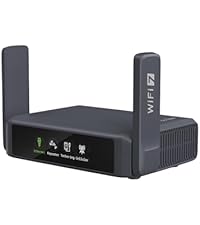
| ASIN | B0BPSGJN7T |
| Antenna Location | Business, Home |
| Antenna Type | Retractable |
| Best Sellers Rank | #1,204 in Electronics ( See Top 100 in Electronics ) #13 in Computer Routers |
| Brand | GL.iNet |
| Built-In Media | Ethernet Cable, GL-MT3000 (Beryl AX) router with 2-year warranty, Power Adapter (US Plug, UK Plug, EU Plug), User Manual |
| Color | Blue |
| Compatible Devices | Personal Computer, Printer, Smartphone |
| Connectivity Technology | Ethernet, Wi-Fi |
| Control Method | App |
| Coverage | 100 meters |
| Customer Reviews | 4.5 out of 5 stars 4,547 Reviews |
| Data Transfer Rate | 3000 Megabits Per Second |
| Frequency | 5 GHz |
| Frequency Band Class | Dual-Band |
| Is Modem Compatible | Yes |
| Item Dimensions L x W x H | 4.17"L x 3.27"W x 1.3"H |
| Item Height | 3 centimeters |
| Item Weight | 196 Grams |
| LAN Port Bandwidth | 10/100/1000 Mbps |
| Manufacturer | GL.iNet |
| Maximum Upstream Data Transfer Rate | 2976 Megabits Per Second |
| Model Name | GL-MT3000 |
| Model Number | GL-MT3000 |
| Number of Antennas | 2 |
| Number of Ports | 2 |
| Operating System | Linux |
| Other Special Features of the Product | Access Point Mode, Guest Mode, QoS |
| RAM Memory Installed | 64 MB |
| Security Protocol | WPA2-PSK, WPA3 |
| Voltage | 5 Volts |
| Warranty Description | 2 Years |
| Wireless Compability | 802.11a, 802.11ac, 802.11ax, 802.11b, 802.11n |
A**A
One of the most reliable travel router as a digital nomad! Affordable and fast connectivity.
I use the GL.iNet GL-MT3000 (Beryl AX) every time I travel, and it’s honestly a must-have for me as a digital nomad. It’s small enough to fit in my bag, but the performance is impressive for its size. The Wi-Fi 6 speed is fast and reliable, even when I’m connecting multiple devices at once. I love having my own secure network no matter where I’m staying hotels, Airbnbs, or cafés. Setup was straightforward, and once it’s configured, it’s very easy to use on the go. The connection feels stable and gives me peace of mind when working remotely. This router has made traveling and working online so much easier, and I wouldn’t travel without it now. Definitely worth it if you’re working on the road.
J**N
Great little router, even if a little expensive.
I got this for a few reasons, and so far am happy with it. The primary reason I got this was for a router in my RV that I could connect a mini-PC to for running my astrophotography setup. This lets me setup the system and the mini-PC automatically gets a fixed IP so I can remote desktop into it from inside the trailer on my laptop. This worked great in my testing this past week. Easy to setup, good signal, and does everything I want. The second reason I got this is as a temporary backup router for home. With the ability to tether through my phone it would be an option to provide Internet access if my cable modem goes down for any reason. That doesn't happen very often, but it is nice to have the backup. While I haven't had to use it, I have tested it out and everything worked great. Along those lines, sometimes when we are camping better cellular coverage is available outside of the RV. I can set this out with a battery pack and my phone, providing better signal to my laptop. Lastly, I'll likely start traveling more for work, so this will go along with me. I've configured this with both ZeroTier to connect to my home network, and also with a VPN provider, and it works great. I have the switch on the side configured to enable/disable connection to my VPN provider, so everything on the router goes through VPN. This will be great when I am in a hotel on travel. Not only will this keep my laptop and phone off the hotel network directly, it will also secure all of my connections with VPN, offering another layer of protection. While I've tested this functionality at home, I haven't yet been able to put it to use.
P**H
Great Travel Router. And Emergency Home Network!
UPDATE December 2025: Confirmed that it worked perfectly with the free airport WiFi at Hong Kong International Airport (HKIA). Also works perfectly at London Heathrow Terminal 5 (no need for any sign in here). UPDATE December 2025: Our Internet provider lost WiFi to the entire area today. I tethered my phone to the Beryl and had Internet to everything in the house in a minute. Absolutely brilliant piece of kit. Yes, slower than my normal but 90mbs download still plenty fast enough. Life saver! Great little travel router at a good price. It is very compact and easy to carry. It comes with a USB power adapter along with various connectors for US, UK plug sockets. I don't bother to carry these as it is powers up from any USB C source. I have used it plugged direct into my MacBook Air and also my Anker 5,000 portable power bank. Both have worked perfectly so I would rather carry the power bank than the power brick! Setting it up was very simple. Do it at home first though as you will need a Firmware update. I have ExpressVPN and I downloaded the necessary files and connections in a couple of minutes - the instructions are easy to follow. Along with changing the side switch to turn on the VPN. When you rename the 2.4 and 5GHz ignore the various YouTube videos - just give them both the same name, it works perfectly. It is easy to turn on AdGuard or other various encrypted DNS options etc. but be aware this may affect you trying to connect at an airport etc. Turn on the encrypted stuff after you are connected to the WiFi. Overall it seems a very well built piece of kit, with very easy software. Most impressed.
T**C
Great Travel Router - CRUISERS MUST HAVE
I travel and cruise often. I am an attorney and usually have to work for some portion of my travel, and having internet availability is crucial. I am also creating video content for a youtube channel and my work. When I am working I usually need to have more than one electronic device hooked up at the same time. For cruisers we all know that you pay per device so I am usually switching between devices, and that gets tiring. I have used several different travel routers (like ravPower and TP-Link) to different levels of success. However, the common factor is that the travel router usually deminishes the signal and speed coming in (and going out) so that even if I hooked up one device the connection speed would drop by more than half. For cruising that meant deathly slow connections. RavPower made me so frustrated on my last cruise by shutting off and on and disconnecting and reconnecting constantly. I simply couldn't use it. TP-Link works better, but its effectiveness decreases significantly (in speed) when there is a distance between the modem and where I am working, making it useless at times. I bought the MT3000-Beryl AX because I had an upcoming cruise and had to work a lot, including having a Zoom hearing. I tested it at home and it was amazing, but the home doesn't pose the connection issues found on a cruise ship. I boarded Royal Caribbean's Oasis that uses Starlink (the same ship I used the RavPower on three weeks earlier and about pulled my hair out), hoping it would do well. This little modem was amazing. Not only did it connect easily to the ship, the download signal was the same as if my electronic device was connected directly. Additionally, the upload speed (not sure how) was almost always better than my phone or laptop. I speed-tested it regularly and often. It was as good or better than my direct connection, and everything worked great. I lowered the resolution on my camera for my zoom hearing and had no issues. I worked in my room, but I could hook the Beryl up to a batter pack and basically be mobile anywhere on the ship. I hooked up 4 devices at once and didn't notice much of a lag for what I was doing. The modem comes with a bunch of built-in security features. For a family going on a cruise, this little device will allow you to provide access to all your cabinmates while they are in the cabin. It might solve the issue of needing to get everyone their own internet access (if some people only use the internet on occasion - but not for heavy scrollers). The only gripe I had was that I wanted to wirelessly dump photos from my iPhone to a card because I have limited storage (and your iPhone doesn't want to back up to iCloud while on the ship even if you have continuous internet access). I know it can do this. I didn't figure out how to do this when I was home and tried to figure it out while on the ship, but there wasn't any real information, even the info Beryl provided (although I might have missed it). I had all the hardware. I tinkered with it but couldn't figure it out. I tried youtube videos or google searches to no avail. I'm sure there is info out there, but it wasn't easy to find. I give this a 5 Star rating as a travel router. Fast, efficient, secure, and portable! It's a winner! ***** UPDATE 10/26/25 This thing still works amazing. It goes on all my trips and lets me connect multiple devices. I did have a situation where one of the cruise ships gave it a little trouble connecting. However there is a way to spoof your LAN to match a laptop. I watched a YouTube video how to do it and it was simple and worked amazing. I bring it with me when I want to work outside of the cabin on the cruise and power it with a portable powerbank. A lot of the times when I am working aboard a ship, the cruise workers ask me about it because they want one. At the very least - it provides a much more secure connection than a direct connection into a cruise or hotel internet gateway. It works great with VPN and you can even add yours into the admin panel. If I could give it 10 stars I would.
S**Y
GREAT extender
Works GREAT at home to extend wifi and stabilize signal. That said, I could NOT get it to work with a particular public wifi though, which is why I initially bought it. Might be isolated to that one address.
R**O
The only way to travel with family and multiple devices
With us being very concerned with public WiFi and the lack of security we usually avoid using any hot spots and I have configured our phones and laptops with a personal VPN when using those services. The downside is that the VPN clients on these devices will drain the battery and there is cost per device using that service. With the GL.iNet travel router with the bult in VPN service you only connect to the public WiFi and then launch the VPN on the router itself. Our phones and laptops connect to a secure local connection to the router, which then goes over the VPN which is encrypted over the public WiFi. This was easy to configure and worked well. I didn't have a chance to test at home since the router arrived the day of travel so I quickly did a VPN configuration (WireGuard) that I would enable at the location. Once I was at our destination I plugged in the router and also connected my laptop to the SSID and key using the ones printed on the side of the router. I then created new SSID and key that I would share with the family. The next step was to connect to the WiFi since there was no ethernet at our location and I was able to scan and connect with no issues. The last piece was to put in the WireGuard VPN configuration and activate the VPN which was really easy. The VPN activated on the first try and then tested with my laptop and was able to get to all my sites and services. I then shared the SSID and Key on the family devices and they were all able to connect as well. We had a total of 8 devices running against one connection over the VPN. There are lot more features in this router but for us it was about being secured in the public WiFi space. The router can become a NAS, can use Ethernet as the WAN connection, and also you can use a cell phone USB tethered if no other services are available. What I really liked: Price, compact, easy to setup, USB C powered, up to date software What I would suggest in improvements: For some reason even though the access point for WiFi was in our room the GL.iNet GL-MT3000 seemed to favor 2.4 GHz over 5 GHz. I clicked on the connection type and was able to force 5 GHz in the WAN settings. The router by default separates the 5 GHz from 2.4 GHz by using separate SSID's. I always preferred to combine both into one SSID and let my devices determine the best one to use. When I configured the local WiFi id did just that in the configuration of our new SSID. I would recommend anyone that travels with family and needs to share and secure their internet devices to take a hard look at using the GL.iNet GL-MT3000.
J**C
GL-MT3000 - This router rocks!!
Great little router. I use it in my RV to pick up various wifi hotspots that I have access to, my home wifi when in my driveway, my church, various restaurant wifi's, my phone hotspot, even town open wifi's. It then rebroadcasts those on a single "named" wifi inside of my RV. Fast, stable, secure. Having the wifi in the RV allows me to work with things that want a stable wifi to work, like my BotsLab camera / doorbell. The UI is great, easy to set up and lots of options including security filters to get rid of ads and the 'bad stuff'. The uplink (outside wifi to this router) can use 2.4 or 5.0 ghz. I SpeedTest each hotspot I am connecting to with both frequencies, and then store that upload speed to get the fastest speed between the router and each wifi hotspot. 2.4 ghz is often the fastest for long distance connections or through walls to the hotspot, but not always. In my driveway, the 5gzh is fastest. From my Winnebago Vista 26HE class A RV, at my church, my tablet, phone or laptop would get 1-5 mbps directly into my church's public wifi, located in an interior hallway, bottom floor of a cement block building. This Beryl router using 2.4 ghz to talk to that wifi hotspot, gets about 25 mbps on speedtest. And it gives my whole RV a little wifi hotspot so every client device in the RV gets that speed. The router even has a usb port which can be used to set up a file share for things like ripped movie files. I have a usb expander adapter so I can have up to 10 thumb drives. One 512 gb thumb drive will store about 10 uncompressed or 20 compressed video movies. I got it for $90 and this little thing just rocks!!!
S**N
Great Travel Router, easy to set up as router or wireless repeater!
I had tried to set up a raspberry pi for some time as a travel router and just never had a lot of luck with it. Finally decided to research small travel routers that could work bot as a repeater hotspot when needed or as a straight wifi router when connected to a LAN. After looking at several models and reading numerous articles and reviews, I decided to get this one, and so far, and VERY happy with it. Setup was really simple. The package comes with a power adaptor with various wall outlet connectors for it (very smart as this is a "travel" router), a CAT6 cable (thin style perfect for packing), and a small quick start guide. The guide will get you up and running pretty quickly. I tested both setups, first as a repeater, and next as LAN router. For the WIFI repeater mode, all you need to do is turn it, point your computer's wifi to the device, and enter the password (KEY) from the underside of the router. from there, you can go to the admin page, create a new password, log in, and manage the device. If your primary WIFI requires a password to set up a connection, you can do that from inside the admin pages. NOTE: Sine this is just a repeater at this point, you may need to look at your normal wifi router to get the ip, or just try going to GL-MT500.local (or whatever the name of your router shows up as) to get to the admin page. My normal home internet gets about 850-1000 Mbps, in the repeater mode, I was getting about 100 Mbps, perfectly fine for traveling somewhere. Since this was tested on my internal network, I also had access to all other devices as usual, and the main router was still operating as the DHCP server, etc. Next I decided to test it plugged into the my main router via the included CAT6. From experience, especially at hotels that may require a login page, or, if you just want faster internet speeds, this would be my preferred option. In this configuration, the router operates as a TRUE wireless router, with all the standard configurations you would expect. I was able to set up the internal Wifi, set passwords, encryption, lock out guest logins, etc. all fairly quickly. As was expected, running a speed test through this configuration got me back to my normal ~800 or so Mbps throughput. If you buy this router, I would recommend the following before actually traveling with it. As I did, set it up in both configurations and ensure you are able to connect to it with your computers, phones, etc. I would also change the name, that's just me, but why give potential hackers the first piece of information about your router by telling them the exact make and model. If you have a VPN you need to set up, again, do all that before you travel the first time to ensure it all connects correctly. This is an OUSTANDING little travel router, especially for the price. So far it has worked flawlessly, even upgraded the firmware with no issues. I was really impressed with the simplicity of getting it set up in multiple configurations, and the speed throughput I have gotten from it. Can't recommend it enough!
Trustpilot
2 weeks ago
1 month ago