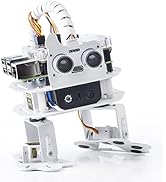
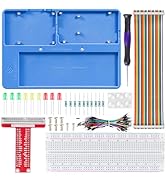
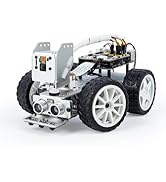
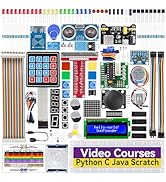
🚗💡 Drive the future of AI learning with PiCar-X — where your Raspberry Pi meets next-level smart robotics!
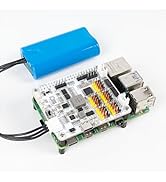
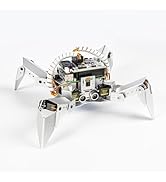
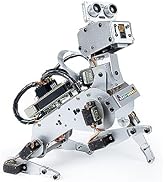
The SunFounder PiCar-X AI Video Robot Car Kit transforms your Raspberry Pi 5/4/3B+/Zero 2W into an intelligent, interactive robot powered by multiple advanced LLMs including ChatGPT-4o and Gemini. Featuring an HD camera with OpenCV vision, voice recognition, and versatile programming support in Python and Scratch, it offers hands-on AI, robotics, and machine learning education. Equipped with rechargeable lithium-ion batteries and expandable sensors, PiCar-X is ideal for students, educators, and engineers seeking a cutting-edge, customizable AI robotics platform (Raspberry Pi not included).


| ASIN | B0CGLPF29H |
| Batteries | 2 Lithium Metal batteries required. (included) |
| Battery Type | Lithium-Ion |
| Best Sellers Rank | #41,530 in Toys & Games ( See Top 100 in Toys & Games ) #426 in Educational Science Kits |
| Brand | SunFounder |
| Color | Picarx |
| Computer Memory Type | DDR SDRAM |
| Customer Reviews | 4.2 4.2 out of 5 stars (236) |
| Date First Available | August 25, 2023 |
| Item Dimensions LxWxH | 10 x 6.5 x 4 inches |
| Item Weight | 1.76 pounds |
| Item model number | PiCarX |
| Manufacturer | SunFounder |
| Power Source | Battery |
| Product Dimensions | 10 x 6.5 x 4 inches |
| RAM | 2 GB |
S**K
A fun kit to build - and it actually works!
This robot car kit was lots of fun to build, and now I'm using it to practice python programming and TCP data communications. It brought back the fun I had as a kid building Heathkits. But unlike those kits, once you're finished building this robot car, you can make changes and improvements. The hardware has extra pins where you can attach new sensors, actuators, etc. For example, I'm planning to put some cheap radar sensors (RCWL-0516 which are less than $2 each) on my robot to supplement the ultrasonic sensor that it comes with. The robot software is also easy to "hack" (modify). This would be a good project for a child who wants to learn about electronics and computers, but they should have an adult (with some technical experience) nearby to supervise. There are some tiny parts, and some (like ZIF connectors) are delicate, so you need to be careful. But it comes with good instructions (printed and on-line) and screwdrivers. (You have to supply the Raspberry Pi.) Definitely a good project, and I'm amazed at the low price. It was an excellent way for me to use the Raspberry Pi 3B that was sitting in my drawer.
T**R
Works as Expected. Note PiZero 2W and Pi 3 related experiences.
UPDATE: This review is a record of my experience over the past month since my purchase. The examples under section 'Think Talk ... AI Powered with LLMs' will require at least a Raspberry Pi 3/3B. The installation steps work on Pi3B as good as it works on PiZero 2W. Minor fixes will need to be made for the camera to work. Once you have the Pi3B setup, examples such as '19. Voice Car with Ollama' work great. In my case, Ollama runs on a different computer on the same network, and therefore the Pi is not burdened to host any AI model. The aforementioned example works beautifully. I'm amazed how fast the response is for such a tiny setup! I did reach out to support with several questions, and the support person was extremely patient and helpful and responded to even my most basic questions that I could have googled. I truly appreciated her for staying with me along the way. Prior to this purchase, I bought a kit that was nearly three times as expensive, but that kit did not live up to my expectations. This kit has really come through! This does not mean the PiZero 2W is not entirely useful. All base examples work fantastic as long as you don't use speech to text examples with streaming enabled. The PiZero 2W is definitely a great starter for tight budgets. -------------------------------- Original Review --------------------------------- Let me start backwards. I have the kit put together. Most code samples as described in Sunfounder's documentation work really well. Especially, the facial recognition example. I pointed the camera at my TV from across the room, and I was impressed that it was able to recognize a single frontal faces clearly visible on TV from across the room. Pretty impressive! Similarly, photo capture, stare at face, keyboard control and video car examples worked without any issues. IMPORTANT TO NOTE especially if you are using the PiZero 2W. If possible, the following order is recommended from experience: 1. For heaven's sake, don't jump in and fully complete the assembly! 2. Instead, flash the firmware first - go with Raspberry Pi Trixie (the version described in the Sunfounder docs has been removed from the Pi Imager). 3. Once installed, ensure you can boot with a mouse and keyboard, and the PiZero 2W can connect to WiFi . Test connection to the pi over SSH and ensure it works. 4. Follow the online instructions and fully update/upgrade the Pi and install all the PiCarX modules completely! The Sunfounder online instructions are excellent and work as listed. 5. Connect to your pi from SSH and ensure you can launch the "center servo" example without errors which will help you below. NOTE: Connecting the Pi to monitor and keyboard after full assembly is difficult- at least without disassembling the PiHat from the Pi! 4. Do not follow just the paper assembly instructions alone. Keep the online instructions handy . Center the servos as described in the online instructions and assemble them as described in the online instructions. NOTE: Centering the servos after full assembly is really painful otherwise! TOP TIP: Make sure that the servo arms are secured properly to the body. The little self-tapping screws are too small and you will need to screw them in fully to attach the plastic servo arms to the frame. Otherwise, you risk them coming off the frame when you attach the servos. As of now, I have calibrated the pan, tilt and steering servos and run the audio tests following Sunfounders online docs. I still need to calibrate the grayscale sensor and hookup the Ultrasonic sensor. I'm able to run the robot around and watch the camera streaming on my laptop. To me the computer vision and AI examples are priority as opposed to line following or Ultrasonic sensor functions. Maybe I'm missing or overlooking something but there is no specific instruction to charge the battery pack or what specific charger is to be used.
S**S
Terrific, but kind of complicated
Cool kit. Lots of small parts. I still haven’t put this together and bought a Makeblock robot instead which is much easier to assemble,although I kept this one.
A**N
Fav purchase
Amazing content and lessons paired with the Pi Car x. You can spend a lot of time working on it and even then learning new commands and how to write scripts and understand the pre written ones. Website has lots of great content and would 100% recommend!
T**H
Missing cable
Says works with raspberry pi 4 but only has camera ribbon cable for pi 5. Build on hold until I get another $10 cable. Hope this is the only issue. UPDATE , my apologies , another cable was in the box. Got a quick response from vendor to resolve just from my review. Everything went together with no problems. I also added a mount and a small Elecrow 5" touchscreen on top. All the Sunfounder You tubes videos from Robojax also a big help. It took a lot of time to do it but I'm new to python and all the AI software. Learning a lot and hope to get grandkids interested it it
D**C
project went as planned 2 Wheel Dr. car
This project is not very fun. If only the pie car could support AWD and wheels. it’s a good beginner project I suppose
D**D
Upgrade the Pi
Get the car without the Pi Zero 2 W and buy a more powerful Rasperry Pi if you plan to primarily use EZ Block Studio. I upgraded to a RPi 5 4gb from the Zero 2 W, and the improvement was dramatic. It went from laggy to very responsive. The camera does poorly in low light, but you can slap a small flashlight on the head temporarily. I’m going to look for either a better camera or rig the thing with a controllable LED. As far as the build goes, the tutorial is straight-forward and well-documented. I think it took ~3 hours of relaxed work to get it assembled, the OS flashed, and the packages installed. My son and I have barely scratched the surface of the car’s functionality, and I’m excited to get further into it.
A**L
Confusing Instructions but Functions well and Sturdy
Bought this for my 15 year old son’s birthday. It seems to be really good quality. My son is pretty tech savvy and says it functions well though he says the instructions are really confusing on putting it together and using it with his raspberry Pi. He feels younger kids would definitely need an adults help.
M**O
I had a small issue with the camera module, so I reached out to SunFounder support. Torres was super helpful and ended up sending me a new camera module, which solved the problem. Everything is working great now, and I’m really happy with the product quality!
L**N
Att bygga ihop robotbilen är ganska enkelt, och instruktionen är klar och tydlig. Därefter måste man installera ett antal olika komponenter i den Raspberry Pi man monterat in i bilen. Detta tog mig väldigt många försöka innan det lyckades, dels därför att man behöver använda en viss specifik version av Raspbian (Bookworm Legacy 64-bit), dels viktigt att man använder den senaste versionen av dokumentationen. När jag googlade råkade jag hamna på en äldre version, coh då funkade inte alla steg i installationen. När man väl tagit sig igenom installationen så visar det sig att robotbilen kan göra väldigt mycket kul saker. Att göra den röststyrd är lätt som en plätt, exempelvis, och det fungerar mycket bra! Det enda som jag kan klaga på är att den lilla kameran kräver mycket ljus, fullt dagsljus är nästan ett måste. Riktigt roligt blir det när man börjar experimentera med kopplingar mot AI-tjänster, som OpenAI och Gemini. Rekommenderas varmt till personer med lite Raspberry Pi-erfarenhet sen tidigare, mycket kul väntar!
A**ー
非常に良い商品だった。部品の分類が丁寧にされていて商品に対する対する真面目な態度がよく分かった。ラズベリー使用のおもちゃはいっぱい販売されているがこれが一番信用のできる物だと思う。取説も 困らないように提供されている。ただ一つ不満はビデオだということ。できれば日本語の紙の取りせっであれば良いのにと思う。英語のビデオは日本語に翻訳するのが難しい。この商品を購入したのは非常に良い。満足している。
R**I
Provato con diversi tipi di Raspberry ma solo con il Raspberry Pi 4 funziona, con le versioni più piccole e inferiori no. Il manuale on-line passo passo è molto chiaro ed il supporto è ottimo. Ho trovato qualche difficoltà nell'usare appieno l'applicazione e l'integrazione con l'intelligenza artificiale punto lavorare con le API di chat gpt non mi è stato possibile, inoltre non è specificato da nessuna parte che questa integrazione e l'utilizzo delle api è a pagamento. Qualitativamente la parte Metallica è molto buona così come anche i motori. Consigliato perché vuole approfondire questo mondo
P**K
Excellent !
Trustpilot
2 months ago
3 weeks ago