🖨️ Print smarter, save longer — the future of hassle-free home printing!
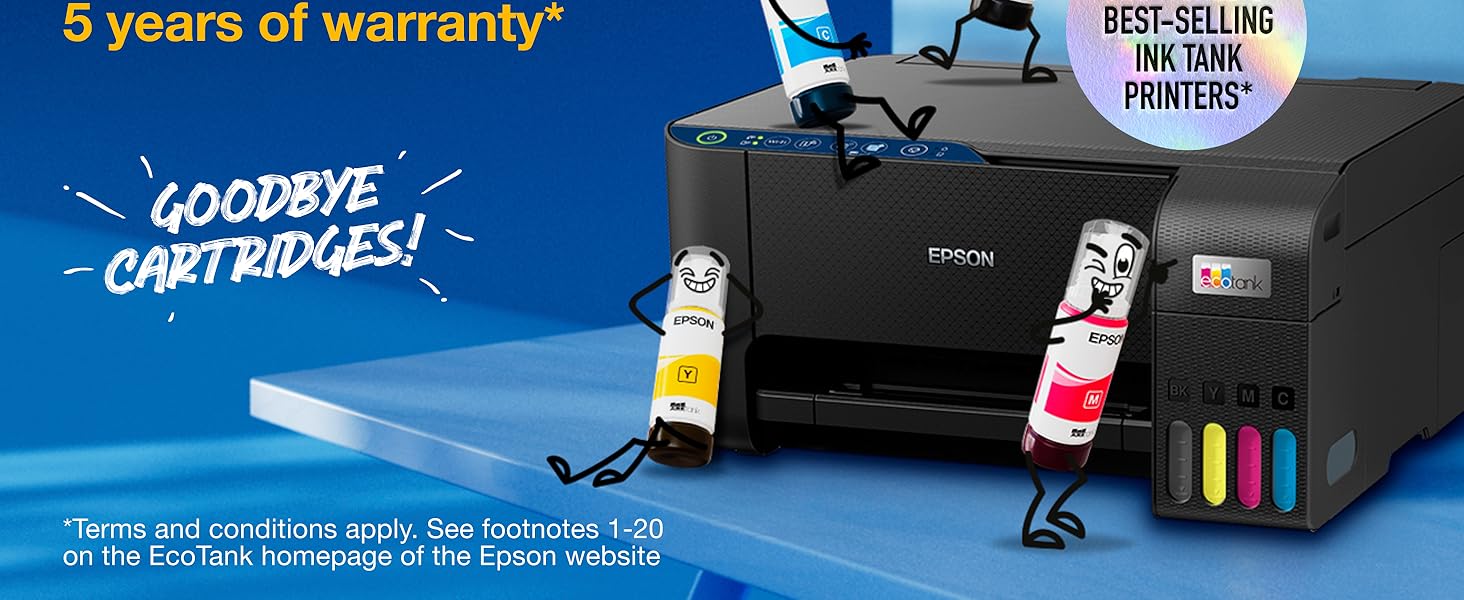
The Epson EcoTank ET-2861 is a compact A4 multifunction ink tank printer designed for cost-efficient, high-quality printing. It includes up to 3 years of ink with ultra-high capacity refillable tanks, supports wireless printing via Wi-Fi and Wi-Fi Direct, and offers mobile device control through the Epson Smart Panel app. With a 100-sheet tray, borderless photo printing, and durable Heat-Free Printing Technology, it delivers professional results while minimizing maintenance and running costs.




| ASIN | B0CQ2J5DGQ |
| Best Sellers Rank | 2,143 in Computers & Accessories ( See Top 100 in Computers & Accessories ) 8 in Ink Tank Printers |
| Compatible devices | Laptops |
| Controller type | Android |
| Customer Reviews | 3.9 3.9 out of 5 stars (441) |
| Date First Available | 13 Dec. 2023 |
| Dual-sided printing | No |
| EU Spare Part Availability Duration | 3 Years |
| Included components | 4 x 65ml individual ink bottles (Bk, C,Y,M), Power cable, Setup guide, Warranty document |
| Ink Colour | Black, Cyan, Magenta, Yellow |
| Item Weight | 3.9 kg |
| Manufacturer | Epson |
| Manufacturer Part Number | C11CJ67426 |
| Max copy speed (black and white) | 33 ppm |
| Max input sheet capacity | 100 |
| Maximum Supported Paper Size | A4 |
| Maximum black and white print resolution | 1,200 dpi |
| Maximum colour print resolution | 5,760 x 1,440 DPI |
| Model Number | 2861 |
| Number of Items | 1 |
| Power consumption | 12 Watts |
| Print media | Envelopes, Glossy photo paper |
| Product dimensions | 34.7D x 37.5W x 17.9H centimetres |
| Scanner type | Flatbed |
| Sheet size | A4 |
| Size | ET2861 |
| Warranty type | Limited |
D**T
Excellent printer.
Pro's: Takes non branded inks - so rare in big brand printers, but this was a deal maker for me. The print quality is excellent, whether on 70gsm general printing paper or 160gsm card or photo print paper. The A3 back feed is also extremely good. Speed and low noise are both good. I print from my phone, the desktop, a laptop and my iPad. This is my second Epson cartridge printer. The old one was worked to death over six years. This one took over and hasn't caused a single issue. Con's Searching for one here... possibly, a deeper paper tray just because I'm lazy and having to fill it up less often might gain me 60 seconds. All in all a great printer.
S**A
So far so good!
So far so good! Brought the ET-2861 as an upgrade for my small business as my old printer was starting to lack in quality when printing and I wanted to try adding stickers to my shop. Still yet to try it out through my cricut but will update once done. Didn’t take too long to set up, did seem to have a few connection issues but nothing that wasn’t a quick fix. I like how compact it is and the quality is amazing compared to my old printer! It may not support AirPrint but I can export all my keynote documents for a quick and easy print. The printing itself does take a little bit of time but that’s to be expected with how good the quality is. Loving the ink refills, yet to get through my first load of inks so not sure on the cost effectiveness as of yet.
M**D
Nothing but headaches and issues
UPDATE: Product is still awful. If you want a terrible printer that does not work, take your chances with this one, but it's just too expensive to gamble with. I am reluctantly donating my £200 printer to a local charity shop after only four months and buying a Brother. UPDATE II: I bought a Brother DCP-T780DW and thought it would be worthwhile contrasting the two products. My new printer is also a Tank printer with a scanner, but this one also has Apple AirPrint and can print in duplex (two sided) automatically. Firstly the Brother has a much more solid feel where the Epson felt flimsy and plasticky. The scanner bed is much better designed and it has a small but functional screen on the front. Setup was easy. While I did get some ink on my fingers while filling the tanks (which was admittedly easier on the Epson), that is likely due to user error. Their app stepped me through connecting to WiFi, which was straightforward once you figure it out (you have to connect your phone to a temporary network set up by the printer to enter your home Wi-Fi settings). From there, a quick calibration process and everything is up and running. With the Epson, you needed their app to print anything from a mobile device, and their app is terrible. From a mac, you have to know how to find and connect to their printer using an IP address, which not everyone will know how to do. With the Brother, using AirPrint, the printer just shows up on any Apple device on the same network. Magic. Finally prints are fast and clear. I didn't time the Epson, but it seems the Brother has less whirring and buzzing before each printout, which makes it seem faster. The black level is a touch grey (rather than deep black), but not unpleasantly so, but other than that, the print quality is everything I need. The TL/DR is with the Epson EcoTank, you are taking a potentially expensive risk. For me, it was a £150 lesson and I'll never buy one of their products again. ORIGINAL REVIEW I needed a color printer, so I reluctantly moved on from my black-and-white HP laser printer. That printer worked when you needed it. It was accessible from every device in my home through Apple's Air Print, and did exactly what you needed it to do when you needed it. It just worked. I chose the Epson because the ecoTanks received good reviews, and to be fair, they are the best feature of the printer. The tanks are large, easy to fill, and appear to deliver decent color printouts, exactly what I would need. If the printer ever worked. Which it does not. The problem isn't mechanical; it is software-related, so 100% addressable by Epson if they cared to build a usable product. I have no idea why they would choose not to use Apple AirPrint, or a network print protocol that is recognizeable by the devices on my network. They've chosen instead to force me to print through their app, which would be okay if it worked. But it does not. The app is one of the worst I've ever used, considering it's a product costing over £10. It is clunky, slow, written in poorly translated English, and incredibly hard to use. It takes about 20-30 minutes, at the absolute fastest, to get your printer configured and connected to Wi-Fi. This would be kinda okay if the wifi worked. But it does not. The printer loses connection to the Wi-Fi, despite being NEXT TO THE ROUTER. When it does connect, simple printouts (750k images) take 20 minutes to print, and they often fail before completion. Reconnecting to the wifi using their app takes another 10-20 minutes, and is a ludicrously long and convoluted process. For those who manage to get their printer to connect reliably, I'm sure it is a decent printer. However, if you're like me, it is an expensive paperweight.
A**R
Overall good, borderless photo printing poor.
Fairly easy to setup. Easy and clean (no ink spills) when filling ink tanks. No problems photocopying. Printing is quite noisy and slow. Photo quality on glossy paper is good but borderless printing on 6x4 paper leaves 2-3mm white band on trailing edge of print, this was non Epson glossy paper. Borderless photo on 6x4 plain white card works without fault! As does putting photo paper in tray, selecting plain paper and high quality in settings. Only downside is the DPI of the print is not quite as good as in photo setting.
S**N
Too good to be true
Beats an Inkjet as well as a Laser printer. It prints beautiful documents as well as photos . And it prints them damn fast, if not as fast as a Laser, pretty damn near. Filling up the inks is easy, installation was a breeze. It’s compatible with almost anything which can get on a network.
S**9
Ink doesn't dry out
This does not dry out! My old colour printer took cartridges which soon dried out when I didn't use it for a while. I have a mono laser printer which covers about 99 or cent of what I want to print out so the colour one is rarely used. It is wifi too making it very useful. So far very reliable.
A**E
A good high quality printer
I’ve had Epson Eco Tanks before and swear by them. The way the ink is managed is fantastic and better than any other printer. the fact this now comes in white/light grey is another big bonus. Setting it up was an utter pain and I’m very used to doing this. it seems to like being set up on a mobile device but to get the device to print and scan to a desktop Mac was hard going. Once achieved this is a grand printer and very much worth the money. Little details in the upgraded version like having the ink tank on the front for ease of use is very good.
A**A
Awful printer
this printer cannot do its job probably, the problem with Windows11 are: 1.when the printer has not enough paper during printing, then I refill paper in few second, it CANNOT automatically resume its recent print 2. Two-sides printing is awful, after send the job to print queue, the job indicated finished in queue and disappeared, but it actually didn’t complete, there is no prompt for manual filp the paper, and I even cannot resume the job, wasted so much time and still don’t know how this printer operate 3.print job always showing completed, but the printer actually no response, and you will not know the reason All in all, this is not a good printer or a good brand for printer, not recommend and refund !!!
Trustpilot
2 weeks ago
1 week ago