Some deliveries may take a little longer than usual due to regional shipping conditions.

DOWNLOAD THE APP


Customer Services
Copyright © 2025 Desertcart Holdings Limited
DOWNLOAD THE APP
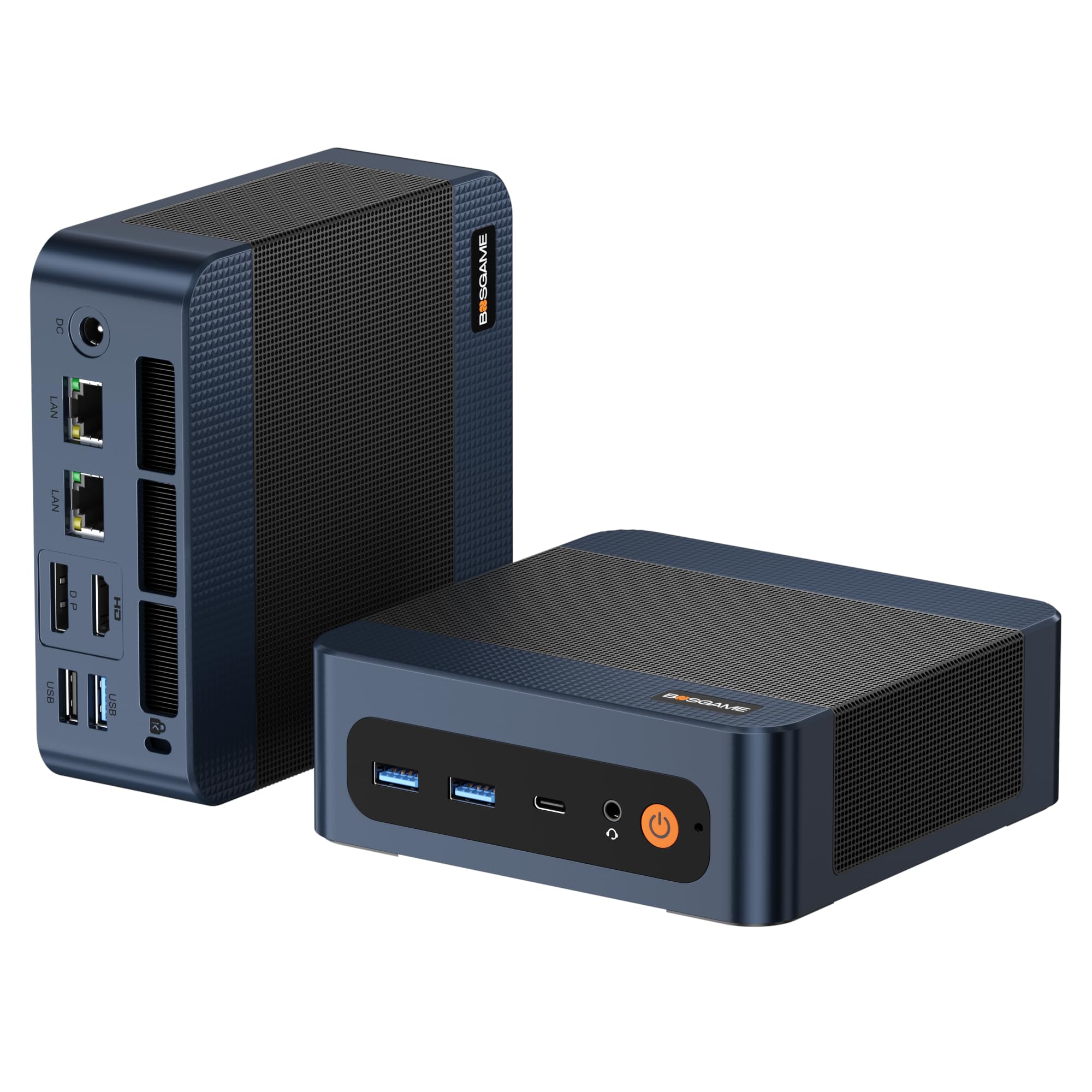
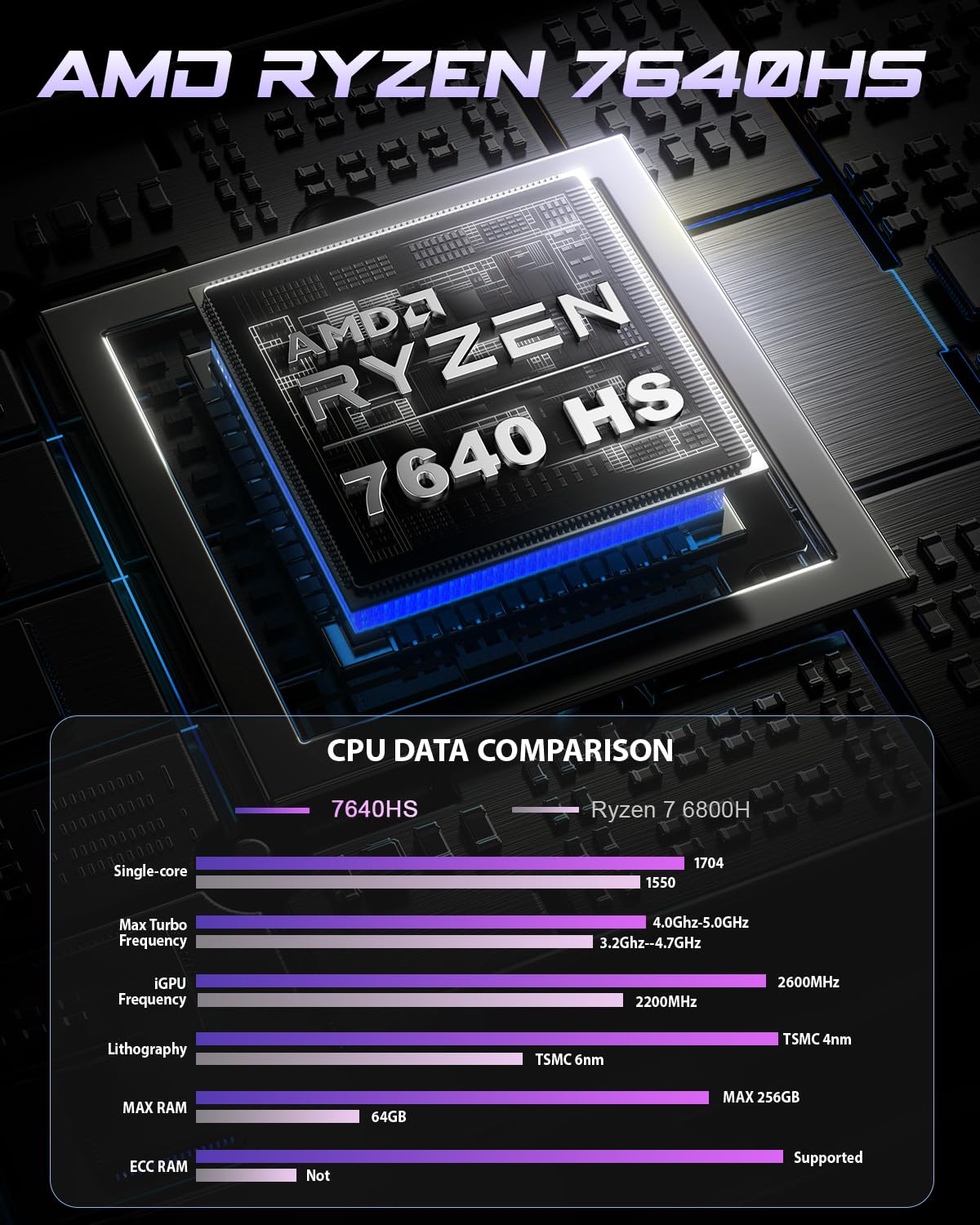
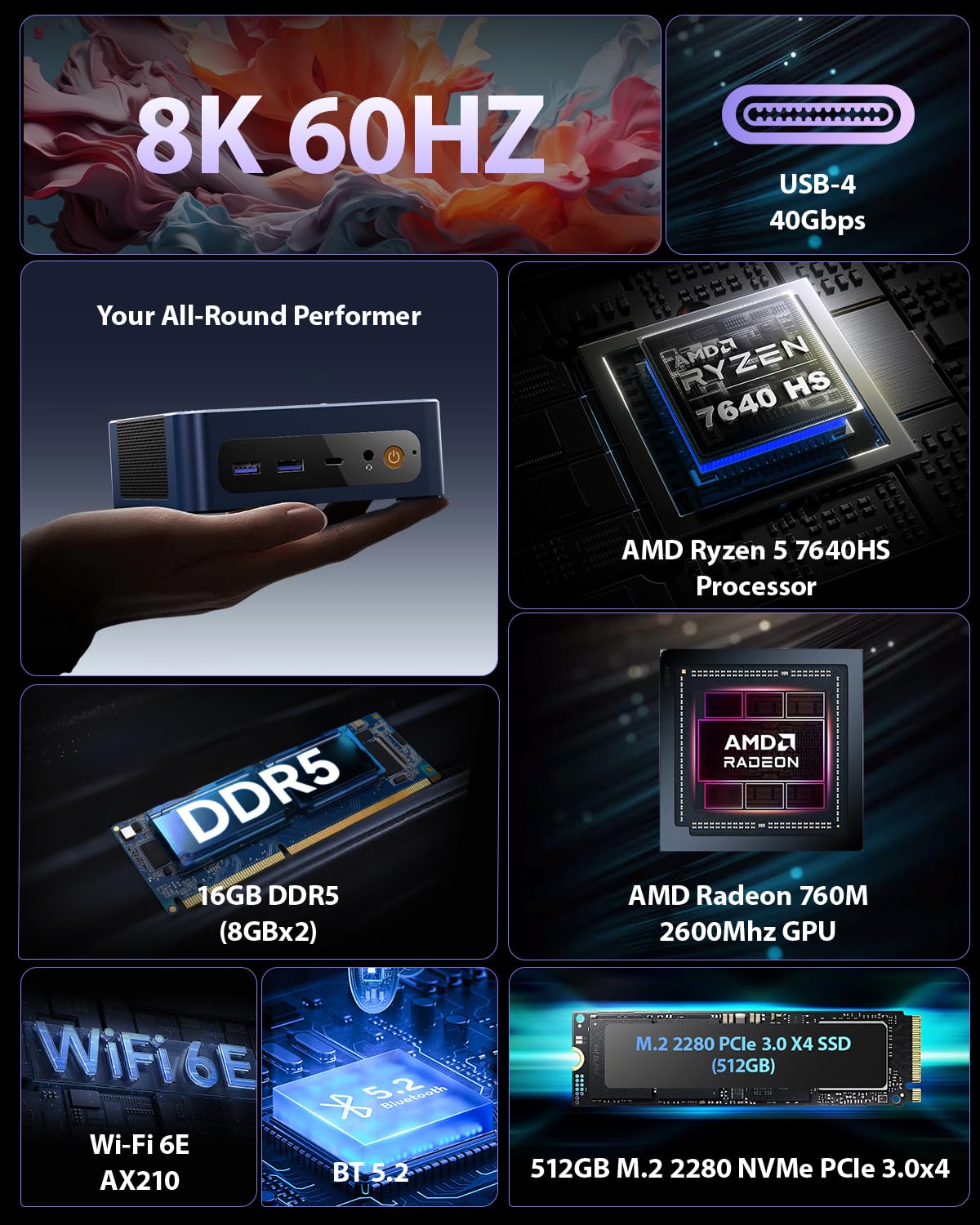
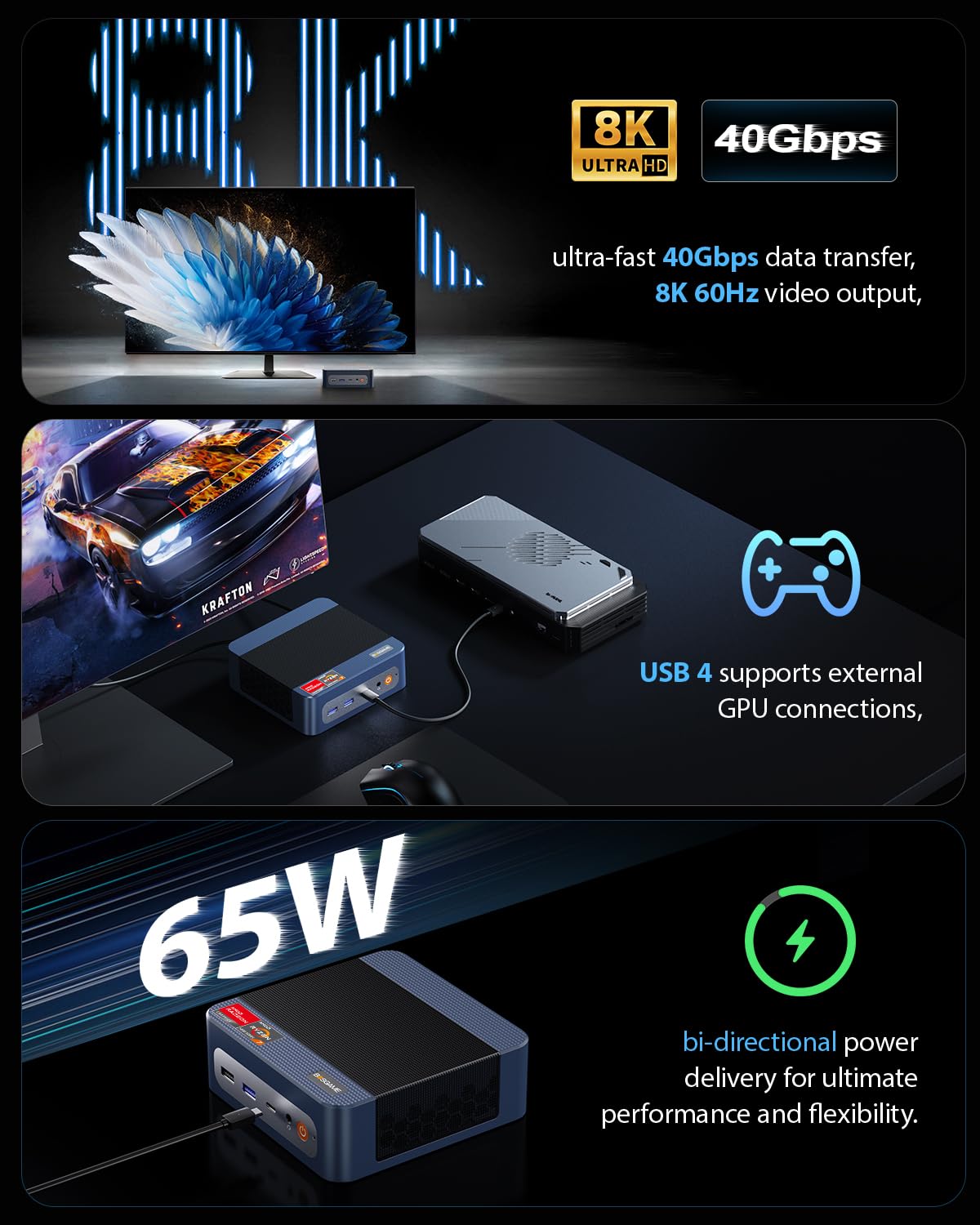
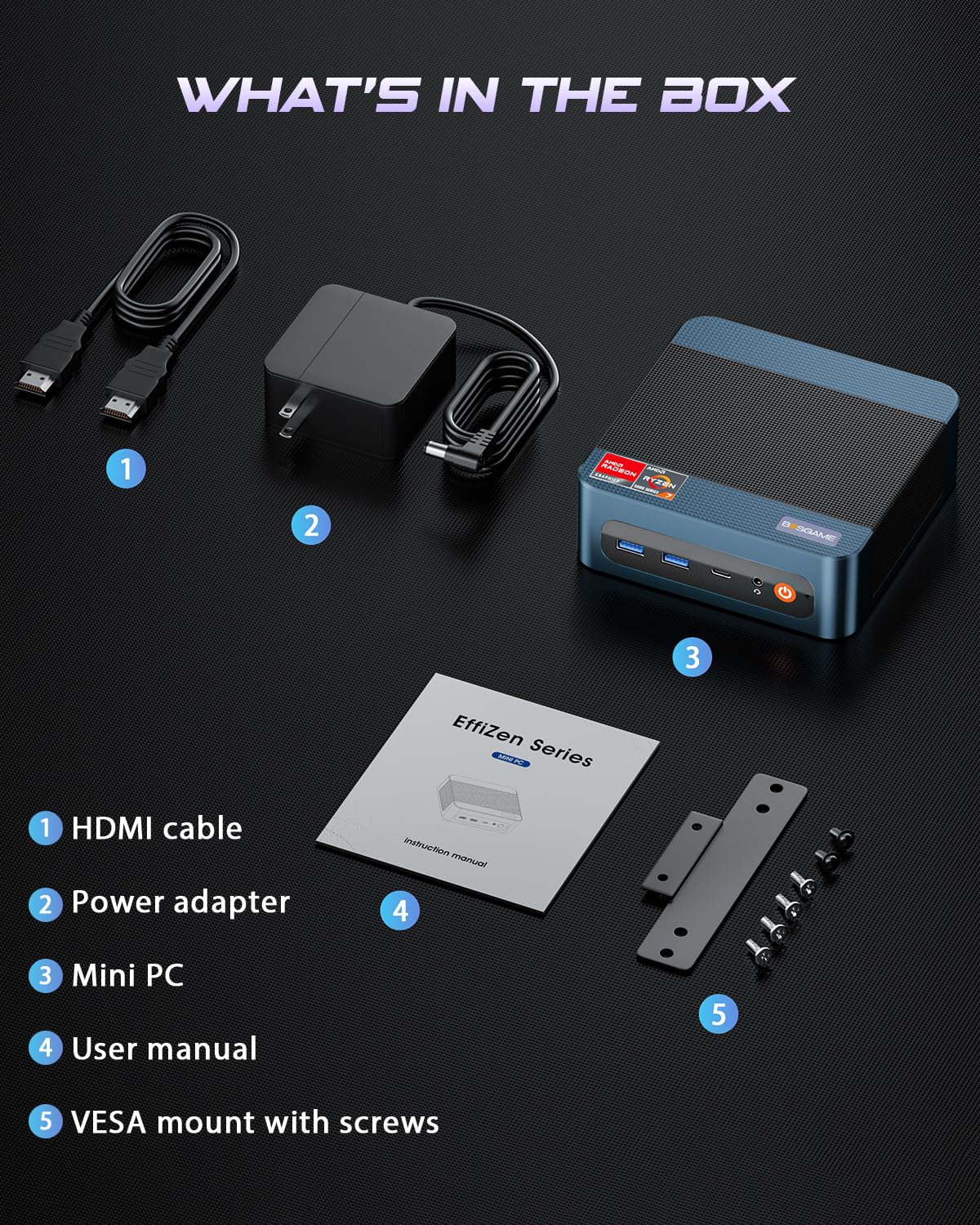
🚀 Power-packed Mini PC that punches way above its size!
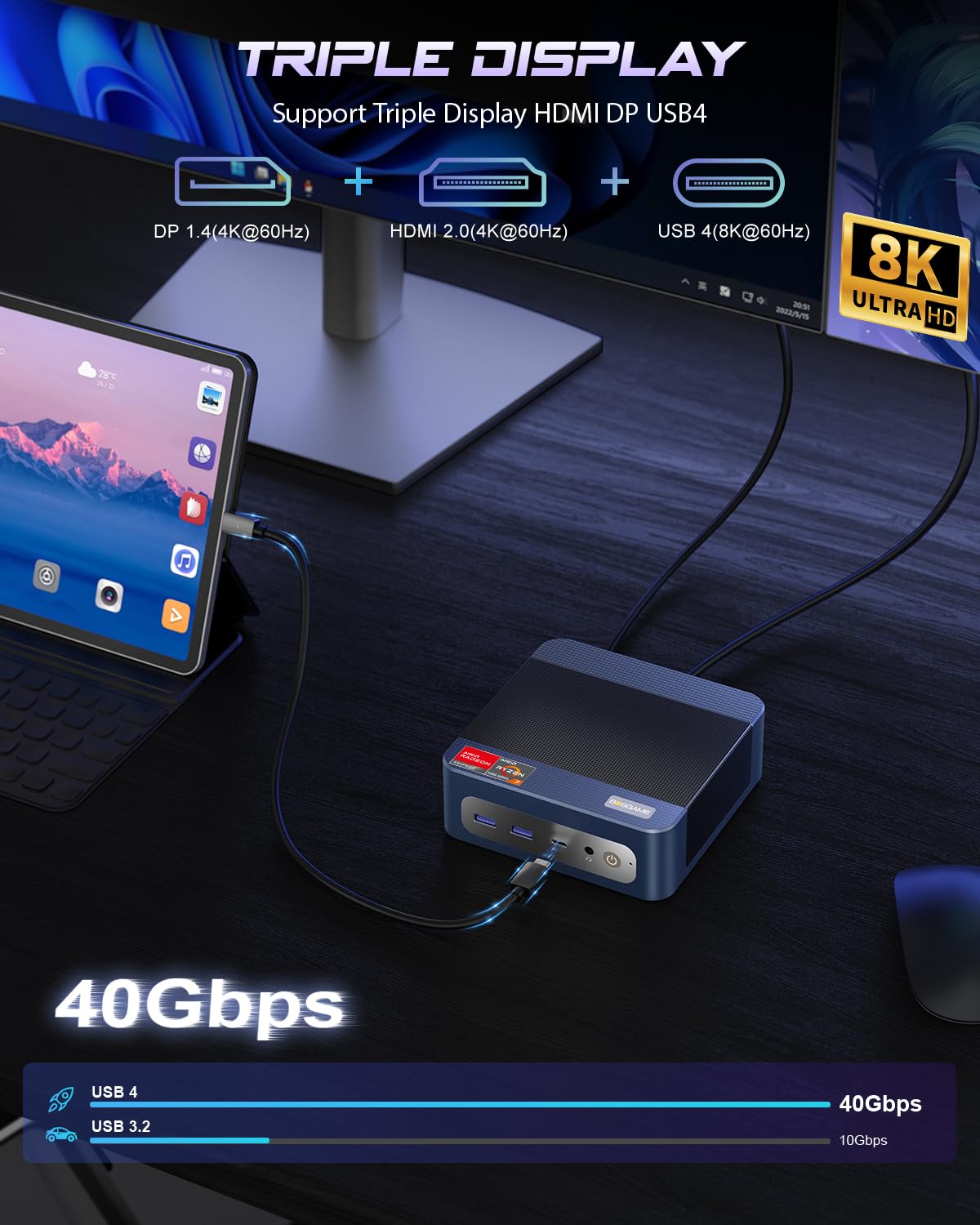
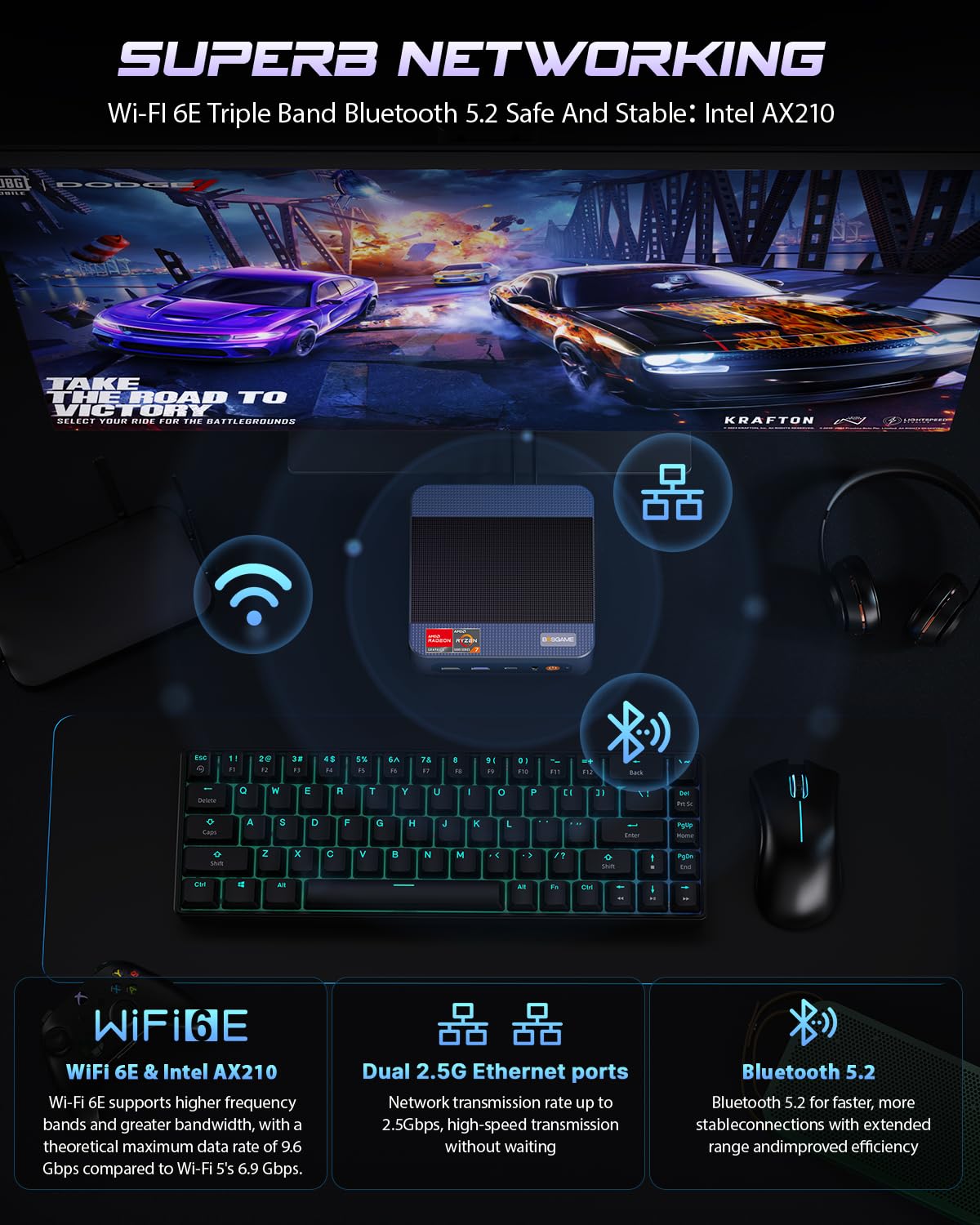
The BOSGAME P3 Mix Gaming Mini PC harnesses AMD Ryzen 5 7640HS with Radeon 760M graphics, 16GB DDR5 RAM, and a 512GB PCIe SSD to deliver desktop-grade performance in a compact chassis. It supports triple 4K displays via HDMI, DisplayPort, and USB4.0, and features dual 2.5G LAN, WiFi 6E, and Bluetooth 5.2 for ultra-fast, stable connectivity. Perfect for gamers, content creators, and professionals seeking a powerful, upgradeable mini PC with reliable after-sales support.


| ASIN | B0FPC7WM2P |
| Are Batteries Included | No |
| Best Sellers Rank | 5,525 in Computers & Accessories ( See Top 100 in Computers & Accessories ) 17 in Desktop PCs |
| Brand | BOSGAME |
| Colour | Blue |
| Computer Memory Type | DDR5 RAM |
| Connectivity Type | Wi-Fi |
| Customer Reviews | 4.3 4.3 out of 5 stars (128) |
| Date First Available | 13 Sept. 2025 |
| Graphics Card Description | Integrated |
| Graphics Card Interface | Integrated |
| Graphics Card Ram Size | 16 |
| Graphics Chipset Brand | AMD |
| Graphics Coprocessor | Radeon 760M |
| Graphics RAM Type | DRAM |
| Guaranteed software updates until | unknown |
| Hard Disk Description | SSD |
| Hard Drive Interface | Solid State |
| Hard Drive Size | 512 GB |
| Item Weight | 1.26 kg |
| Item model number | P3 |
| Manufacturer | BOSGAME |
| Maximum Memory Supported | 64 GB |
| Memory Clock Speed | 5600 MHz |
| Memory Technology | DDR5 |
| Number of HDMI Ports | 1 |
| Number of USB 2.0 Ports | 1 |
| Number of USB 3.0 Ports | 3 |
| Operating System | OS11 Support Win/ubuntu/Linux |
| Package Dimensions | 16.51 x 16.41 x 10.39 cm; 1.26 kg |
| Processor Brand | AMD |
| Processor Count | 6 |
| Processor Socket | Socket A |
| Processor Speed | 4.3 GHz |
| Processor Type | Ryzen 5 |
| RAM Size | 16 GB |
| Resolution | 7680x4320 |
| Screen Resolution | 3840 x 2160 |
| Series | P3 |
| Standing screen display size | 75 |
| Wireless Type | 802.11ax |
C**E
not a bad little PC
I purchased this to replace an aging Gigabyte Brix J4105 pc which was used as a media server. So Connecting to the TV and powering up I was impressed at the speed. Windows 11 Professional was installed in around 5 minutes and everything worked fine. So it was time to set everything up. I did some Debloating, removing a number of unwanted windows components. . This significantly improved windows overall performance. Checking the memory speed in BIOS it showed PC2400 - So I installed the 8GB PC2400 from my Brix computer, and added a second 512GB NVME drive which I had from a previous project. Then increased the graphics frame buffer size to take advantage of the extra RAM. Next installed NEXTPVR to take advantage of my HD homerun. Installation was a breeze This little PC is faster than I expected. It will play games, not the power hungry Cyberpunk (don't go there) bit it was happy with Civilization IV though slowing down as game play progressed. But still playable. In Conclusion Good value for money overall. Easy to upgrade the memory and NVME Reasonable power for the price If you upgrade drivers and do a bit of optimizing it becomes even better than at first glance Microsoft office and basic productivity tools are all snappy and run without any issues. I would recommend that you install the latest drivers from AMD once windows is set up as they are newer and work better than the drivers which come with the original install.
I**S
Much better than the price would suggest - excellent support too!
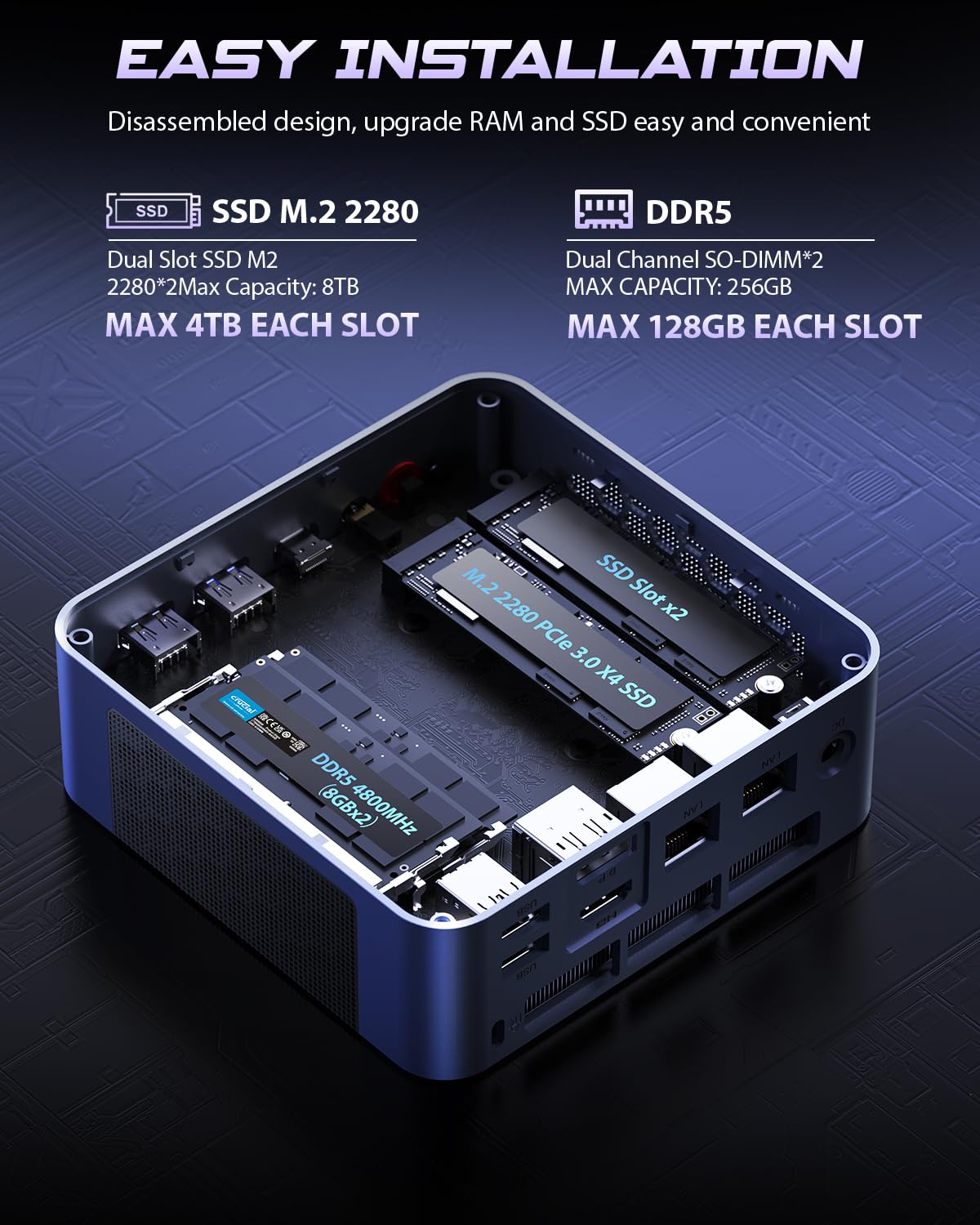
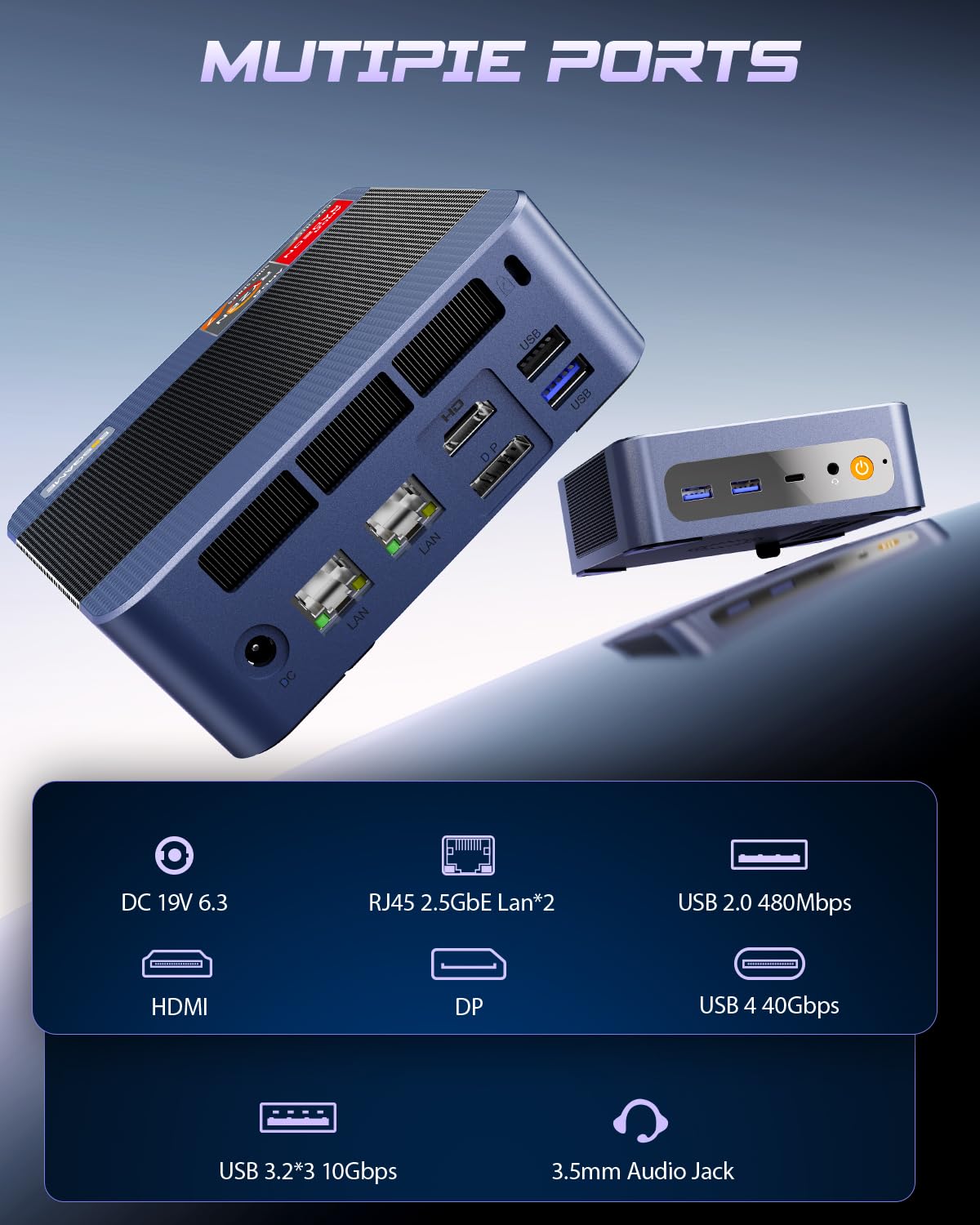
I wasn’t expecting a particularly capable PC for this sort of price, but I was really pleasantly suprised at it. Firstly, it’s well-packaged and the power supply seems sturdy enough. I thought it would all be cheap junk, but it’s actually very good. It worked well out of the box and there doesn’t seem to be any unnecessary bloating software on it. I ran a few tests and scans to look out for hidden spyware etc and found nothing. It’s really easy to set up. I would recommend that you don’t connect your Ethernet or any other internet until the Windows setup is complete otherwise as with Windows, it will insist on doing a ton of updates and not be useable for ages. When you get the screen asking you to connect, just click that you don’t have internet. When Windows is all set up and booted up, and you’re looking at the desktop screen, then go ahead and connect it to the internet. It’s very small. Smaller than I thought it would be. It’s about the width of a CD case across the top. They seem to have worked hard to squeeze all the components inside. It comes with a 512GB SSD PCIe3 and includes an empty slot next to it for if you want to add an extra card. I’ve added a 2tb SSD. I asked the Bosgame customer service what the maximum possible size SSD it can accept and they told me the motherboard can accept a theoretical maximum of 4Tb. Incidentally, kudos to their customer service: They answered quickly and gave me an explanation about what affects the maximum capacity. It comes with 16GB DDR RAM included which is snappy enough for what most people will need who aren’t going to be playing the most recent games. It can stream media well so it would make an excellent media server. I’ve actually added another 16GB of RAM, taking it to the maximum of 32. A couple of things that puzzle me though: It has TWO Ethernet ports. I can only assume that is so that you can attach a router and a NAS drive on a physical connection. The information says that it can support three displays but there are only two ports for display: 1 HDMI and one Display Port. It has one USB 2 on the rear along with a USB3. ON the front are two USB3 and one USB-C. In summary, unless you’re playing high end games and just want a really good value PC that can do most of what the average needs to do, then you really can’t go wrong. I’ve checked it out carefully for anything untoward, but I couldn't find anything at all. EDIT: I have been having issues with the display flickering and bouncing so I contacted Bosgame support through their website. I had narrowed down the issue to the display driver, and thought it needed a driver update. Instead they guided me to a setting in the AMD driver software that I hadn’t known about and it fixed the issue immediately. So I’m gonna say it was user error, not a problem with the machine or the installed firmware/software. I just wanted to add that their support staff were friendly, patient and helpful, which is more than you get from many companies. So if I could add an extra star on, I would.
C**N
Good small home lab solution
Great little micro PC for a home lab! It’s compact, quiet, and surprisingly powerful for its size. Power consumption is low, making it perfect for running 24/7 services like Docker, media servers, or lightweight VMs. Setup was quick, and it handles multitasking smoothly without overheating. An excellent value if you’re looking for a reliable, space-saving home lab solution.
S**C
Great value
I purchased one of these to run a Emby server and Plex server 24/7. It works efficiently and was easy to set up straight out of the box. Cpu is fast and to come with 32gb of ram and a 1tb internal ssd for £319 it was an absolute bargain. When running both servers at the same time streaming 4k films simultaneously and recording 6 cctv cameras continuously with Blue Iris software the cpu never exceeds 16% load. This is an excellent piece of kit
M**D
Excellent mini pc
Much more impressive that I was expecting. Very easy to set up, very quiet. Proper UK power supply. From what I can see, also expandable. Really good value.
A**U
Very good mini PC for the price
Amazing computer. It comes with Genuine Windows 11 and no malware.
S**T
Windows10を使用しなくなるため、この商品を購入しました。スペックが魅力で値段もお得感があったので、購入しました。サクサク動いております。 また、よいタイミングでATOKが対応したのでさらに嬉しさ倍増です。
T**T
I have the ryzen 5 7640hs with the 16gb ram, 512gb. So far so good. Almost identical inside to a beelink Ser5 Max, I previously owned. First week. I opened it up and removed the plastic panel inside the bottom and the fan inside. I felt it was pushing pressure against the board. I also got a separate ssd heat sink and attached it to my ssd. Seemed like leaving the plastic the original was just going to roast my wifi card like a marshmallow it was under the heatsink that was originally covering it and the ssd slots. I also did a fresh windows 11 install with a copy I created separately on a USB drive. Haven't done alot of gaming just yet however I have it all set to high performance. (settings in bios, and windows) and Im not experiencing crashes or anything. I personally think plastic plate inside the bottom is what's causing long term issues for some users, it puts alot of pressure on the motherboard once it's screwed down, and basically turns the ssd drive into a tiny oven.
J**N
Works really well. Was looking to get a full gaming computer for husband but decided to try this instead. He loves it.
さ**ま
速い
B**E
Love love love this little computer
Trustpilot
5 days ago
2 weeks ago