🚀 Elevate Your Development Game!
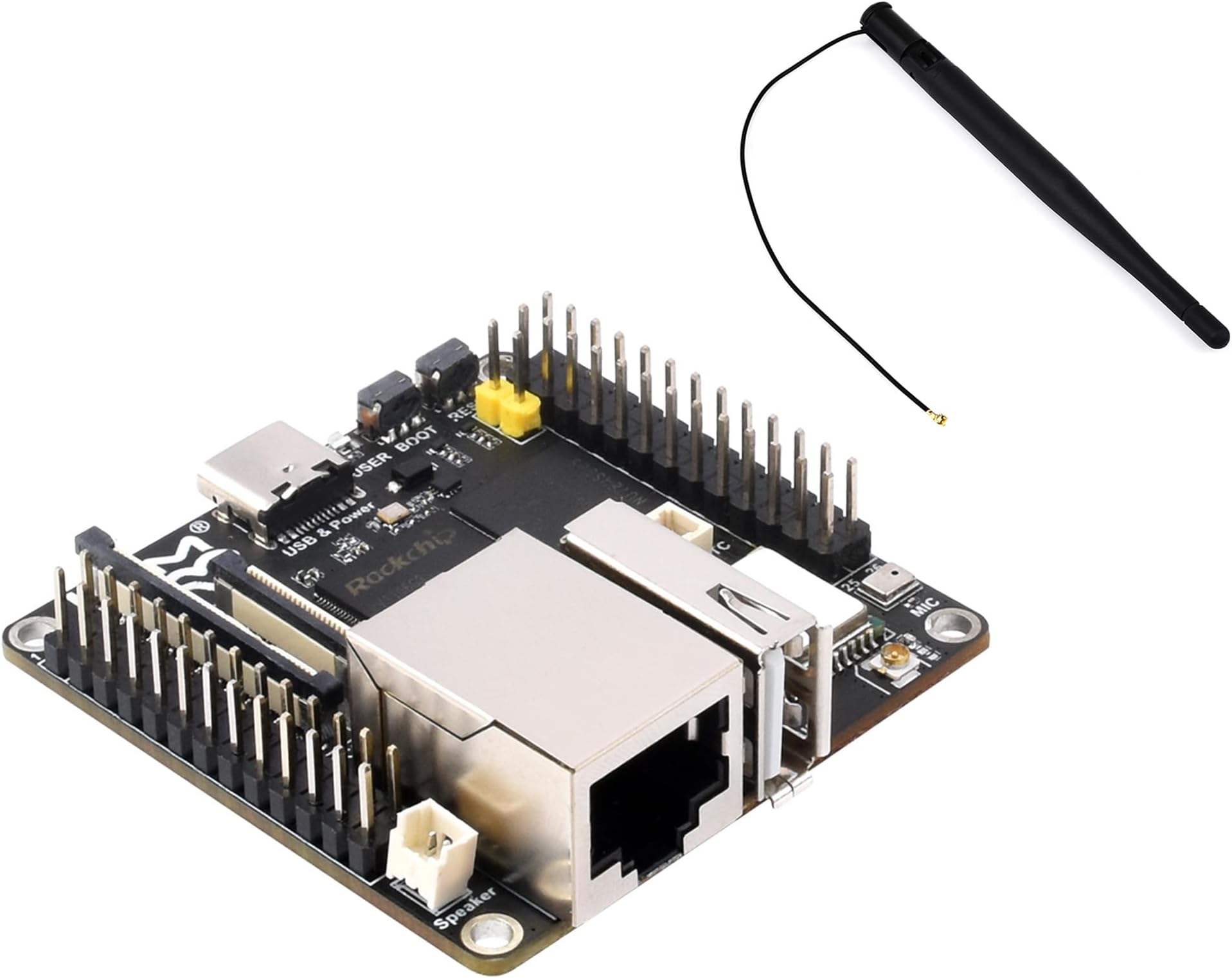
The Luck-Fox Pico Ultra W RV1106 is a compact and powerful Linux micro development board featuring a Rock-chip RV1106 processor, 256MB DDR3L RAM, and 8GB EMMC storage. With onboard Wi-Fi 6 and Bluetooth 5.2, it offers robust connectivity options. Ideal for developers, it supports various interfaces and advanced imaging capabilities, making it perfect for embedded applications.
| RAM | DDR3L |
| Wireless Type | 802.11ax |
| Brand | UeeKKoo |
| Series | Luck-Fox Pico Ultra W |
| Operating System | Linux |
| Item Weight | 0.32 ounces |
| Package Dimensions | 0.7 x 0.4 x 0.2 inches |
| Processor Brand | Rockchip |
| Number of Processors | 1 |
| Manufacturer | UeeKKoo |
| ASIN | B0D6GVQ5Z4 |
| Date First Available | June 7, 2024 |
K**O
Decent lil SBC
The other reviewers were not kidding in how much of a pain it is to work on this device. BUT it does work. I prefer Debian, personally but I'll take Ubuntu.Working with Buildroot has been an interesting experience in frustration and it does work, but it requires a lot more effort to do the same thing you'd do in say, Ubuntu.I'm working on setting this up to be a tiny little NTP server. Not quite fully there yet, but I'll get there!
D**D
Powerful little board, good documentation online
I wanted a little board for some experiments. This is currently the most powerful Luck-Fox Pico model, as it even includes WiFi. I especially liked that this has two ADC pins on it, which a lot of similar Linux boards do not have. The documentation available online is useful for getting started, and there are forums for getting further help. From what I have seen, Luck-Fox does reply quickly to the forum, so it is a great resource. You might have a little trouble if you blindly follow the documentation, as some assumptions are made, particularly about paths, which are clearly based on their own development machine with username luckfox. If you have some understanding of Linux and programming, it shouldn't be a problem at all.There are two OSs available are Ubuntu and Buildroot. Buildroot has the most support for the low-level functions provided by Rockchip, who makes the processor. Ubuntu seems to provide all the same functionality, just through higher level libraries. For example, you can access audio inputs/outputs more directly with Rockchip, but must use ffmpeg on Ubuntu.It did take me some time to get connected over USB to the board in the first place to flash it. Make sure you have a good USB-C to A cable, and when you connect the board, don't hold the reset button for too long. After flashing, I haven't had problems. It provides power and network over USB, so you can use ssh, samba, etc. to connect, share files, debug, etc. with just the USB if you want.
Trustpilot
2 weeks ago
1 month ago